Create a Workorder Journal Entry
In CirrusFM Plus, a journal entry can be created to accrue work orders that are yet to be invoiced. These can be created from the workorder by selecting the 'Journal Entry' button:

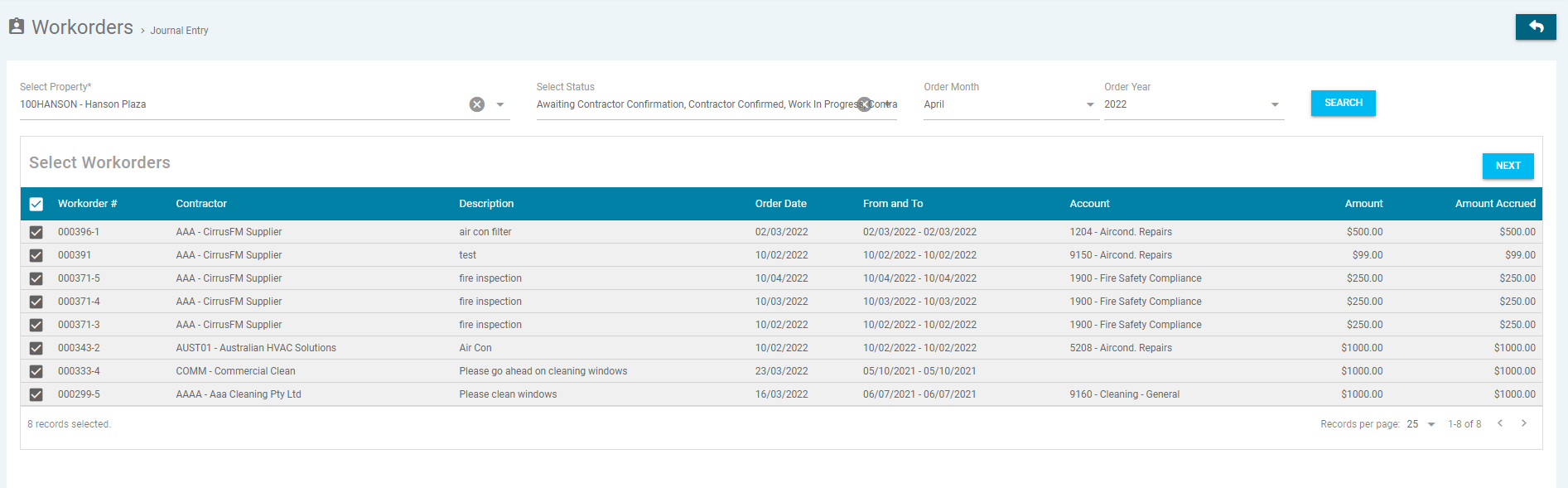
This will bring you to a search screen:

* Denotes Mandatory Field
- Select Property* - Select the property from the drop down menu
- Select Status – Select the status from the drop-down down menu
- Order Month – Select the month you wish to post a journal to
- Order Year – Select the year you with to post a journal to
Select the work orders you want to accrue, by checking the box next to each item, then click 'Next'.
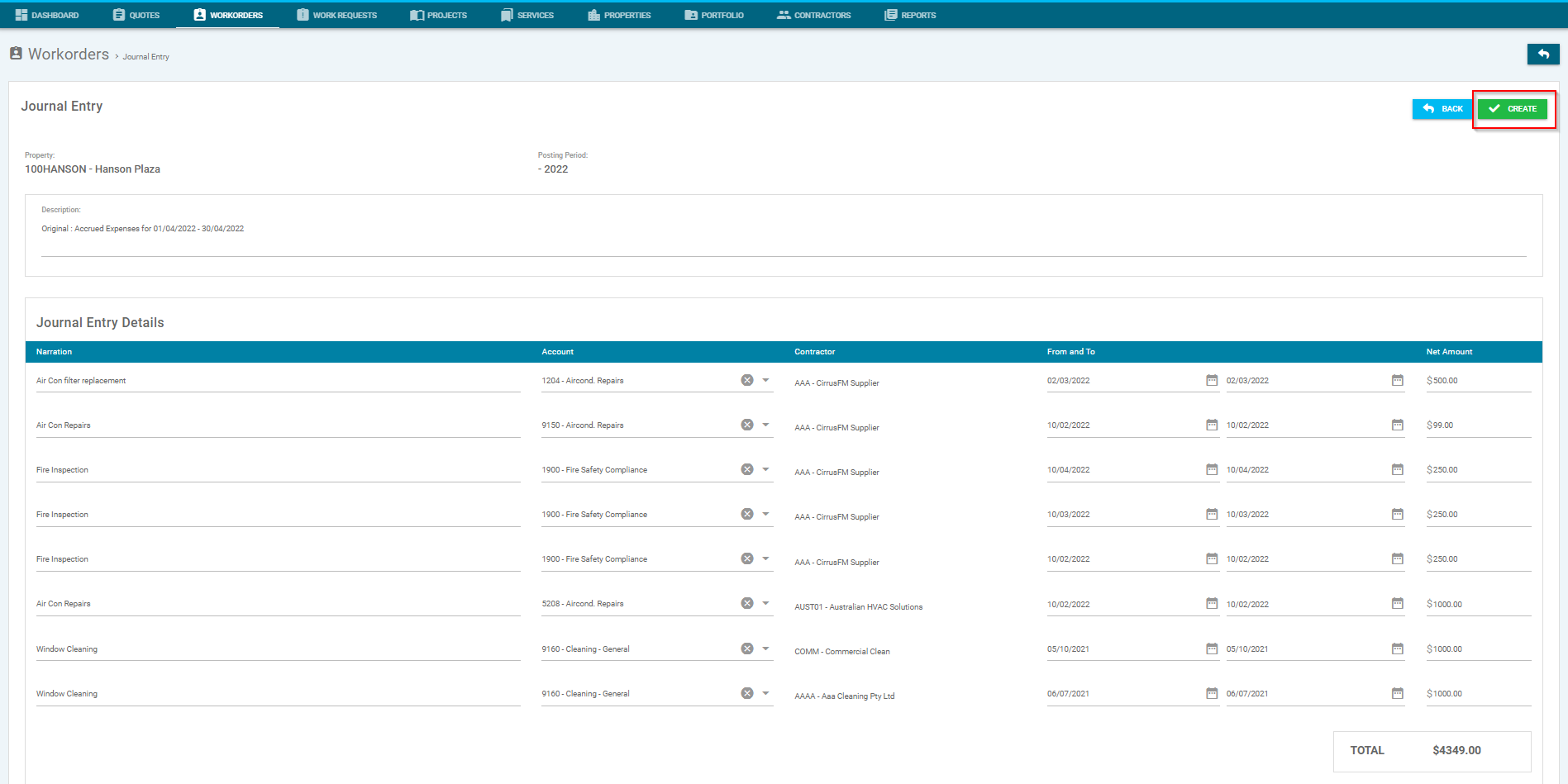
In the selected work order, you will be able to check and amend the following:-
- Journal Entry Description - Description of entry
- Journal Entry Details - Details for the following:
- Narration - Work Order's description
- Account - Account code used by the Work Order
- From and To - 'Required By' dates on the Work Order
- Net Amount - Maximum amount limit noted on the Work Order
Once you are satisfied these are correct, click 'Create':
Once created, there will be a draft journal awaiting processing by a Trust Accountant user via General Ledger > Journal View:
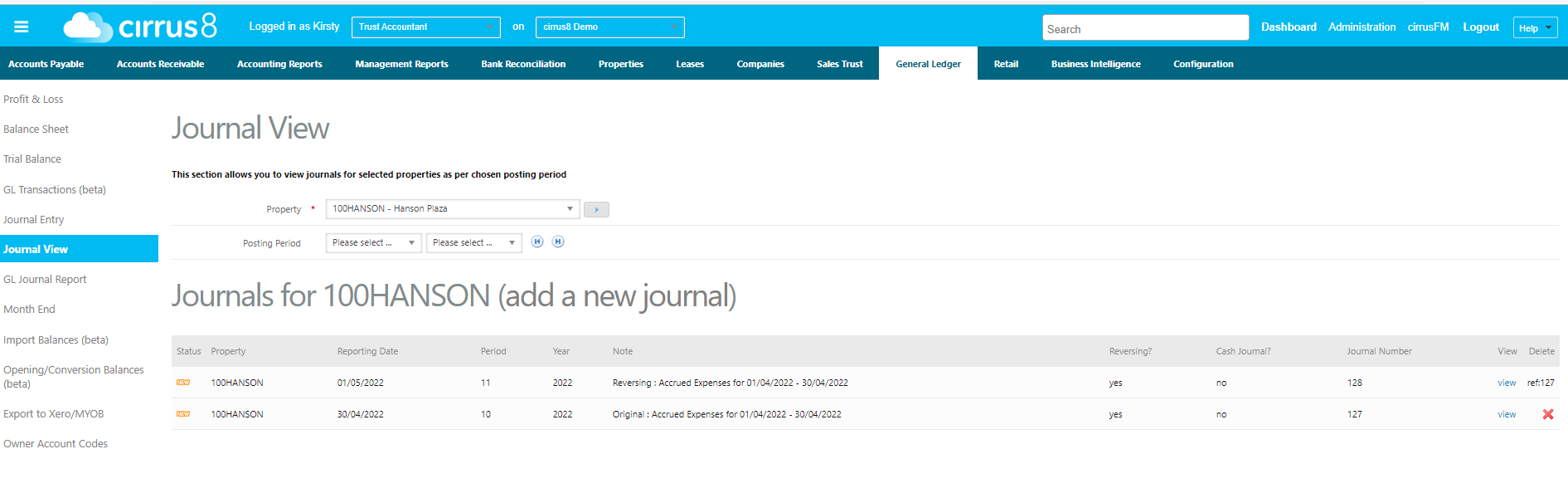
You can click on View to make any amendments.
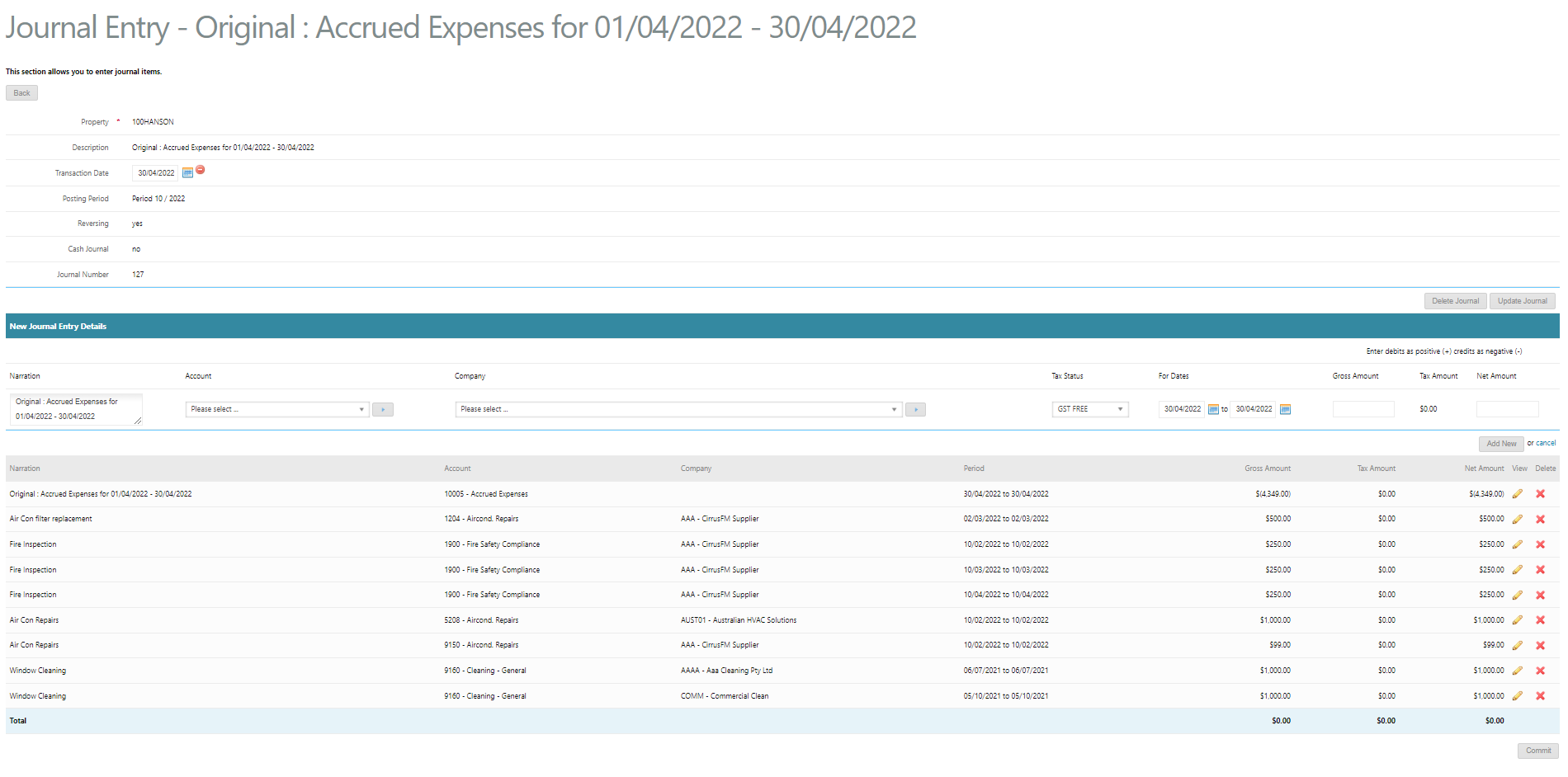
Click on Commit to process the Journal:
Important!

Please note that this journal will automatically reverse on the 1st day of the next period. If they are still yet to be invoiced by the end of this period, you will need to accrue them again
Was this article helpful?
That’s Great!
Thank you for your feedback
Sorry! We couldn't be helpful
Thank you for your feedback
Feedback sent
We appreciate your effort and will try to fix the article