Overview
Reports in CirrusFM can be generated for:
Quotes
Workorders
Supplier Insurance
These reports help you track activity, filter key information, and export results for analysis or sharing.
Step 1 — Access Reports
Log in to CirrusFM.
Click Reports from the main menu.
A new screen will open.
From the side menu, select one of the following report types:
Quotes
Workorders
Supplier Insurance
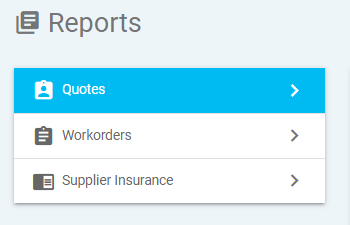
Quotes and Workorders
Step 2 — Generate Quotes or Workorders Reports
1. Select Report Type
Choose either Quotes or Workorders from the side panel.
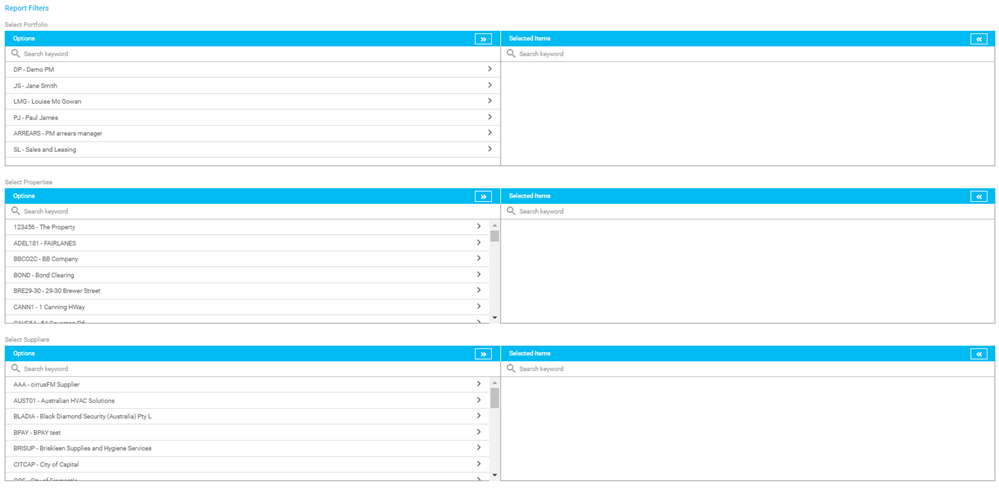
2. Apply Filters (Optional)
You can tailor the report to your needs using filters:
? Search Filters
Portfolio
Property
Supplier
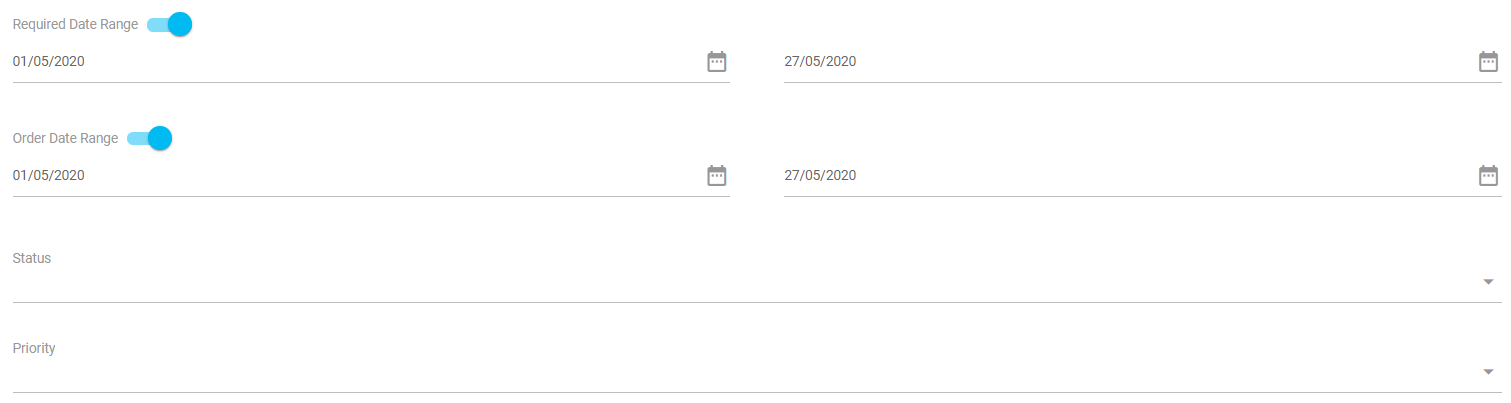
? Date Filters
Required dates
Order dates
Use the toggles to turn these on or off.
Example:
If you want to view all outstanding items, you may switch off both date filters.
? Status Filters
Filter by status such as:
Rejected
Waiting for supplier answer
Answered
Workorder created
⚡ Priority Filter
Filter by the priority assigned to the quote or workorder.
? Include Comments
Choose whether comments should appear in the report.
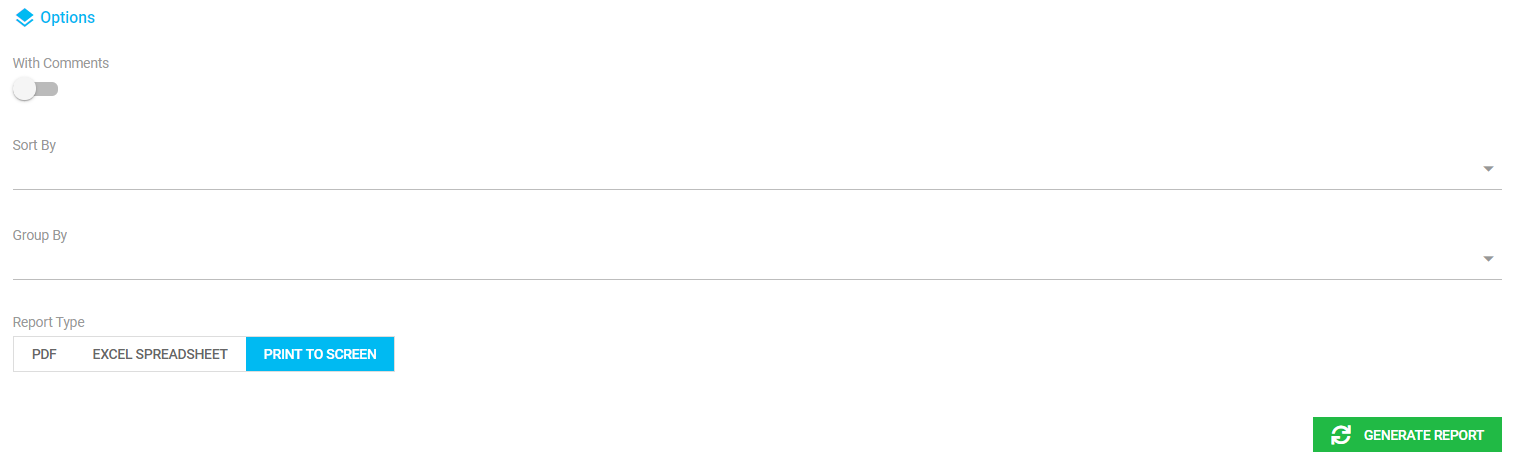
3. Choose Sorting Order
Reports can be ordered by:
Supplier
Property
Required date
Status
Priority
Reference number
4. Select Output Format
Choose how you want to view or export the report:
PDF
Excel spreadsheet
Print to screen
5. Generate the Report
Click Generate Report.
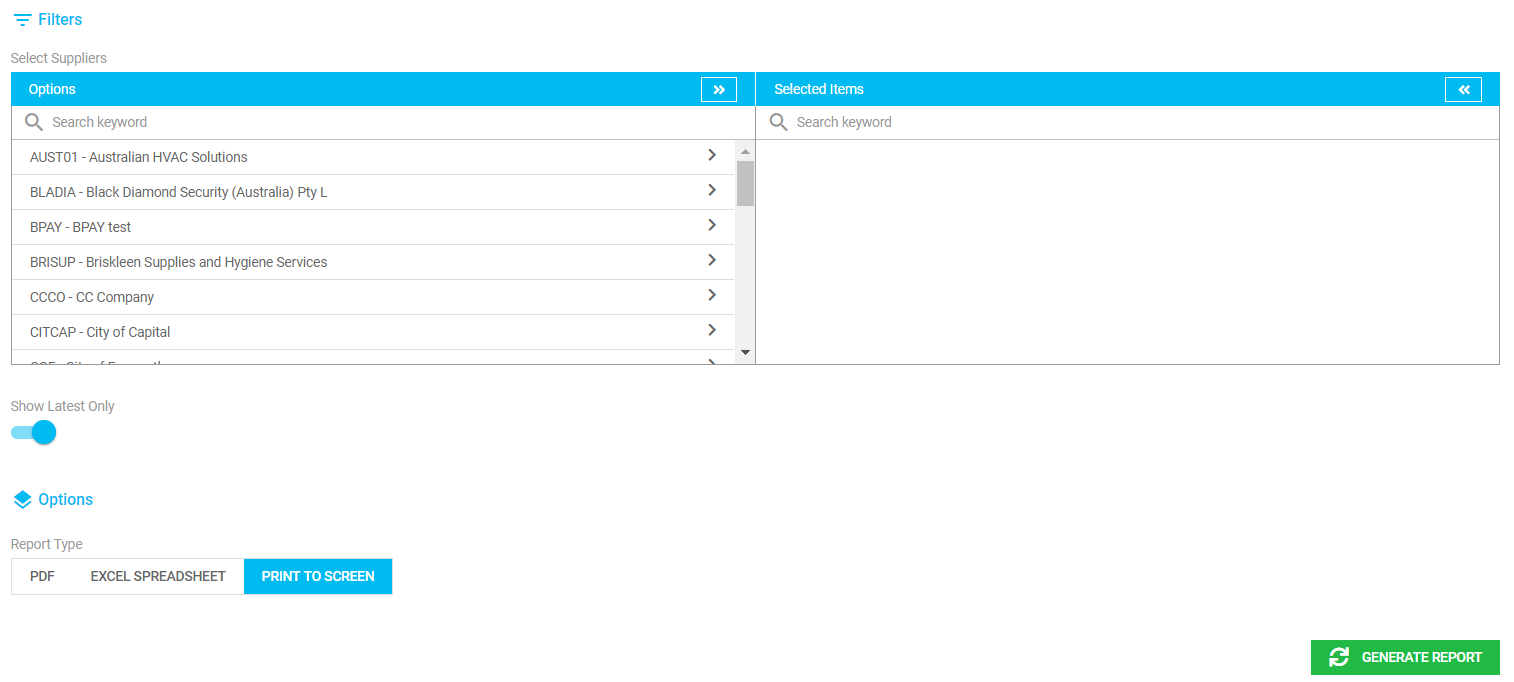
Generate Supplier Insurance Reports
1. Select Supplier Insurance
From the Reports side menu, click Supplier Insurance.
2. Apply Filters
Available filters include:
Supplier
Show latest only
3. Generate the Report
Click Generate Report to create the report.
Was this article helpful?
That’s Great!
Thank you for your feedback
Sorry! We couldn't be helpful
Thank you for your feedback
Feedback sent
We appreciate your effort and will try to fix the article