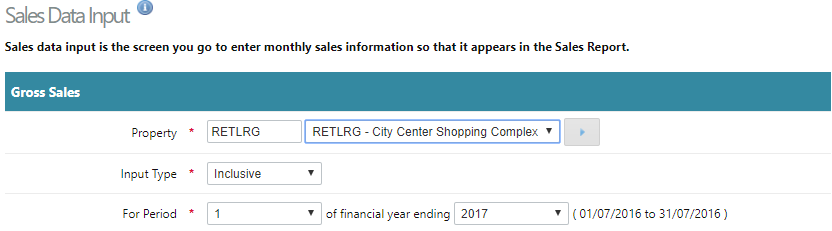
- Select a property, period and Input type - 'inclusive' GST (Standard) or 'exclusive' GST.
- Enter sales figures for each tenant for the period selected.
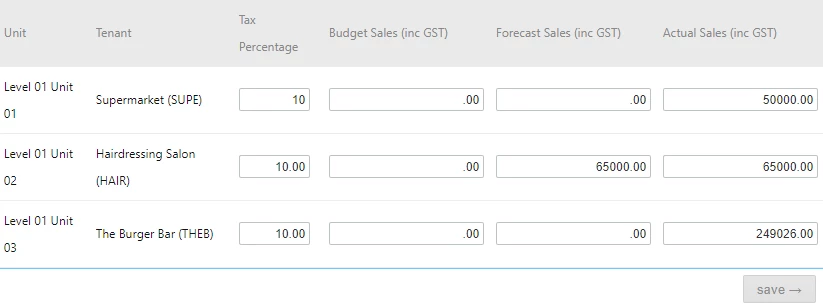
If entering sales data exclusive of GST, Cirrus8 recalculates the sales figures inclusive of GST using the GST 'tax percentage and stores both in Cirrus8 for sales reporting purposes. Likewise if sales data is entered inclusive of GST, then Cirrus8 uses the GST 'tax percentage' to recalculate the sales figures exclusive of GST and stores that for Sales reporting purposes.
- Tax percentage - the average rate of GST that applies to that tenants sales. Need only enter the first time unless it changes, cirrus8 will assume it remains consistent.
- Enter Budget sales and Forecast sales if applicable.
- Enter Actual sales - obtained from tenant.
- Save
Was this article helpful?
That’s Great!
Thank you for your feedback
Sorry! We couldn't be helpful
Thank you for your feedback
Feedback sent
We appreciate your effort and will try to fix the article