TABLE OF CONTENTS
- Owner Portal Overview
- Owner Portal Configuration
- Owner Portal Access
- Owner Portal Dashboard
- Property Details
- Documents
- Reporting (Owner Portal Plus)
- Financials (Owner Portal Plus)
- Agency Details
Owner Portal Overview
Owners can be given access to information on their properties through the Owner Portal or Owner Portal Plus. Download the attached brochures below for details on the differences between Owner Portal and Owner Portal Plus.
The Cirrus8 Owner Portal provides Property Owners access to view:
- Dashboard
- Property Details
- Property Documents
- Reporting (available for Owner Portal Plus access only)
- Financials (available for Owner Portal Plus access only)
- Agency Details
Owner Portal Configuration
If the Owner Portal feature has not been enabled on your database, a once off configuration fee will apply to establish this on your database. The Owner Portal does not have any recurring monthly fee after the initial configuration, and Owner Portal Plus has an ongoing fee per email address signed up per month.
Please contact support@cirrus8.com.au for further information on pricing and to arrange this for your database.
Owner Portal Access
Owners will initially need to be granted access to their owner portal by a Local Admin user by registering the owner as a user in the Admin Portal. Refer to the article Register New User for details on how to do this.
Once the owner has been registered as a user, the owner can then access the Owner Portal by visiting the link: owner.cirrus8.com.au
Owner Portal Dashboard
The dashboard provides a portfolio overview.
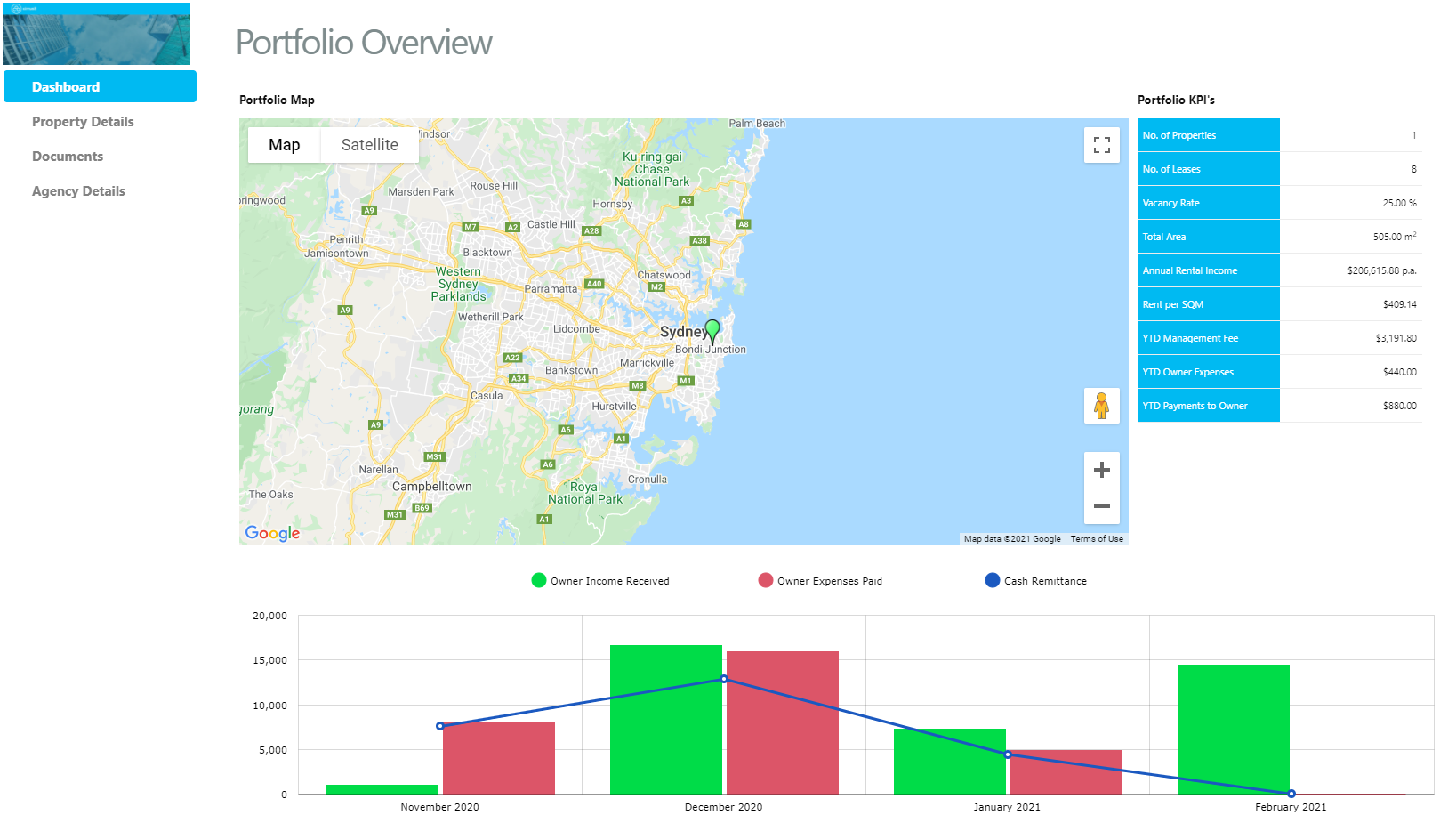
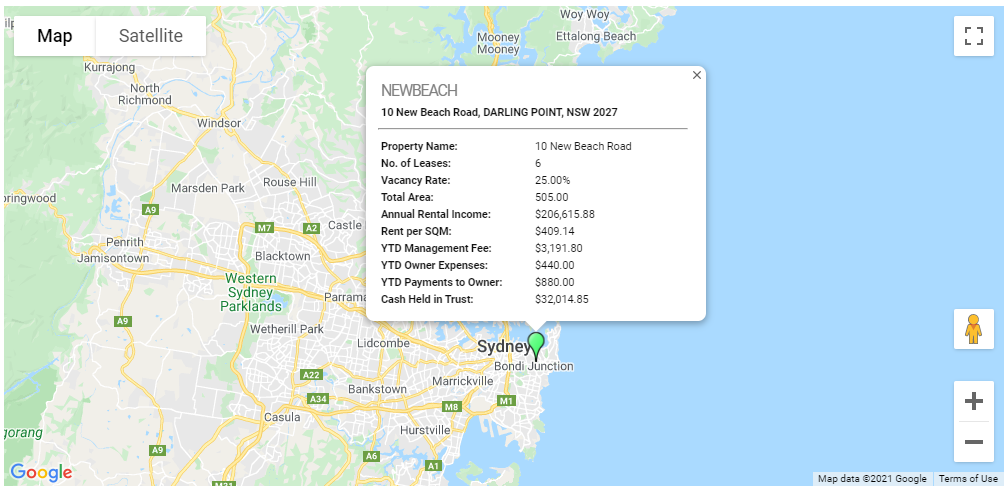
- Portfolio Map - This shows pins of where all the properties that the owner owns are located. This is interactive, you can select one of the pins and a breakdown of property specific KPI's will appear.
- Portfolio KPI's - this provides the owner with a breakdown of the KPI's of all of their properties, if they own more than one otherwise it will have the same breakdown as the pin.
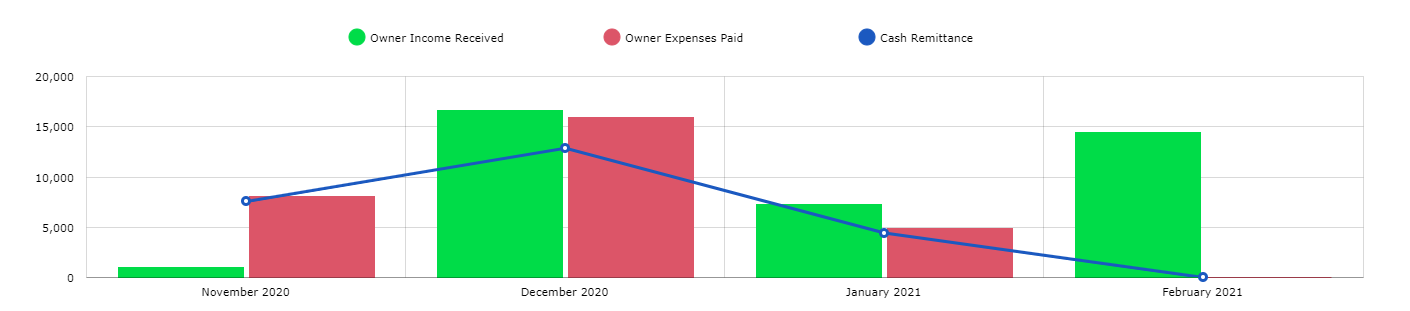
- Graph - Visual representation of the income vs expenses and owner remittance over a 4 month period. If you hover your mouse over one of the columns you will see the total figure.
Property Details
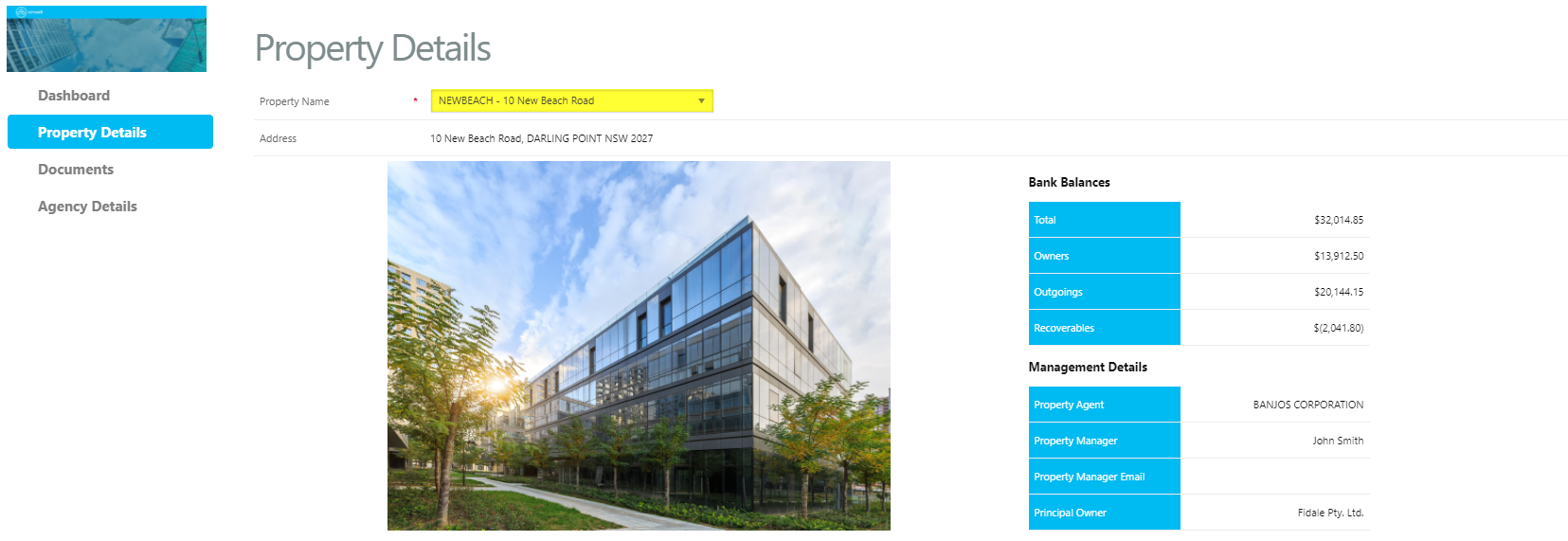
Under the property details section, you can see a further breakdown of the following:
- Property Name - you are able to switch between properties that are managed.
- Bank Balances - this provides a breakdown of the bank balances in total any by account code groups.
- Management Details - this provides details of your property manager and agency.
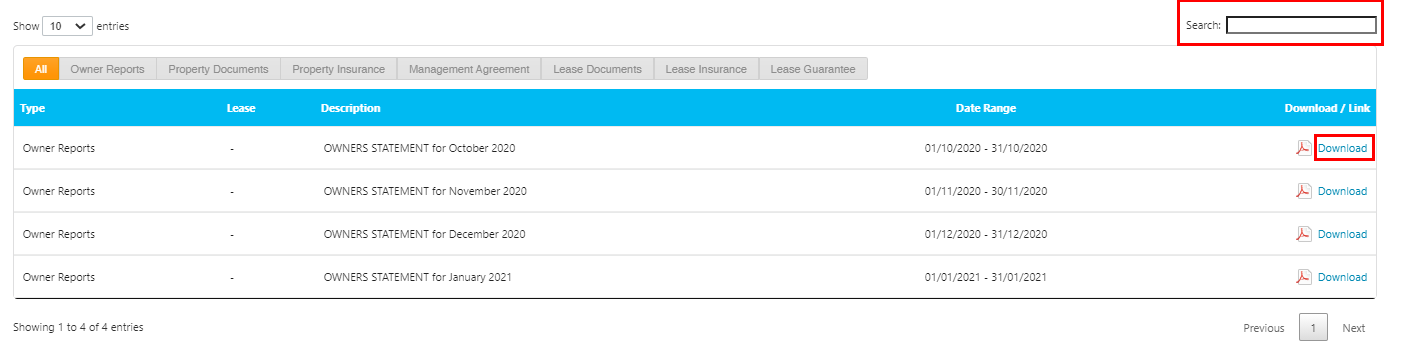
- Documents - this provides the owner access to the documents saved in Cirrus8 on the property. This can be filtered by the type of document or you can use the search bar on the right hand side. You can click on download to save a copy of the document.
- Graph - Visual representation of the income vs expenses and owner remittance over a 4-month period. If you hover your mouse over one of the columns you will see the total figure.
Documents
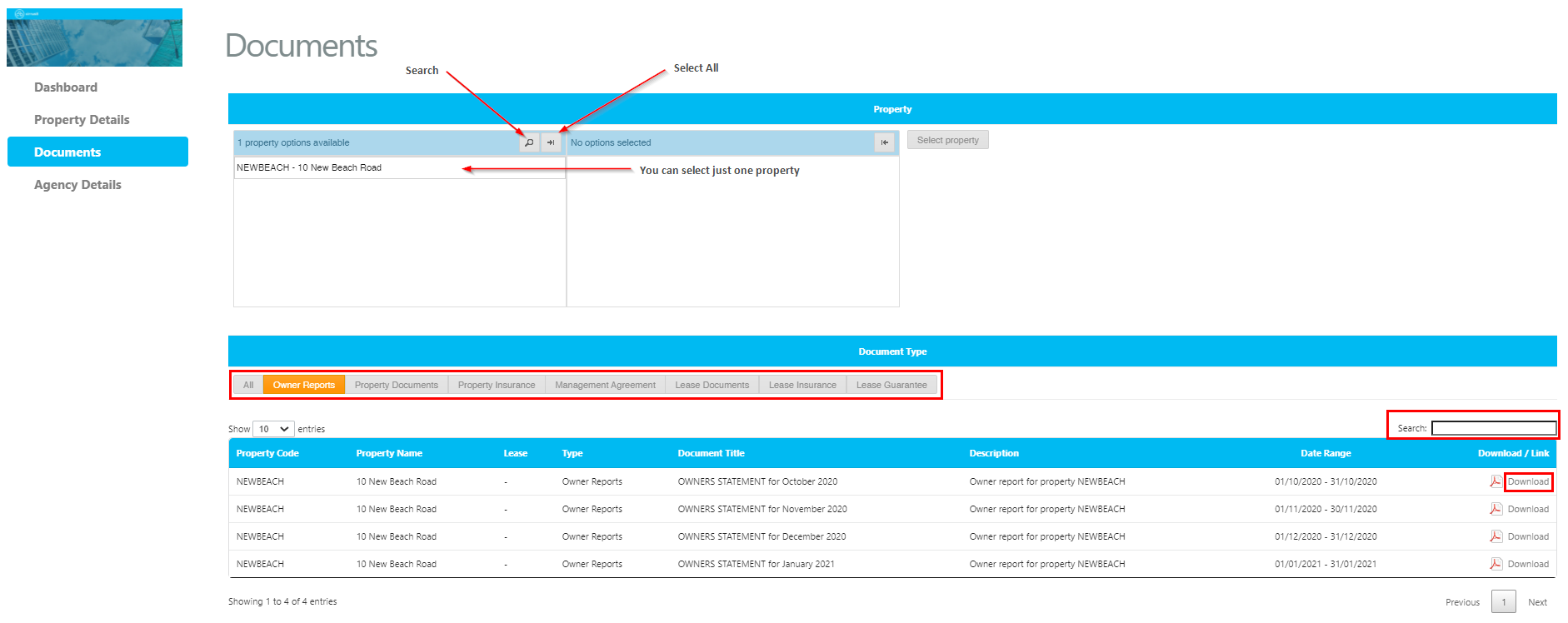
Owners are able to see all documents that have been uploaded to the owner portal.
- Property - if you have more than one property, you will be able to filter just one or all of your properties.
- Document Type - there is ability to filer by specific document type or you can view all.
- Search - there is the option to search for a particular document.
- Download - selecting download will download a copy of the document.
Reporting (Owner Portal Plus)
The reporting page is available only for Owner Portal Plus and allows an owner to view the following:
- Arrears Report
- Tenancy Schedule
- Unpaid Invoices & Property Balances
- Cash Book
- Tenant Activity
- Invoice Activity
- Detailed Expenditure
- Aged Creditors
These report options can be configured based on what your agency would like to make available to your owners. Please contact support@cirrus8.com.au to configure these.
Financials (Owner Portal Plus)
The financials page is available only for Owner Portal Plus and allows an owner to view the following:
- Export to Xero/MYOB
- Profit and Loss
- Trial Balance
- Balance Sheet
These report options can be configured based on what your agency would like to make available to your owners. Please contact support@cirrus8.com.au to configure these.
Agency Details
This page displays the managing agents details and can be set up to display managing agent staff and their contact details. If you would like to update this to show staff profiles, please contact support@cirrus8.com.au and provide them with the following details:
- Staff full name
- Position
- Staff photo
- Staff contact details (email, phone, website)
Was this article helpful?
That’s Great!
Thank you for your feedback
Sorry! We couldn't be helpful
Thank you for your feedback
Feedback sent
We appreciate your effort and will try to fix the article