Expenses paid directly by Owners should be recorded in Cirrus8 to assist with accurate profit & loss reporting and also to ensure all relevant costs are pulled through into Variable Outgoings reconciliations.
There are two methods in which we can record expenses that have been paid directly by an owner. The first option is to process an Accounts Payable Transfer Journal with the second option being to enter the Supplier Invoice for payment, with the Owner as the Supplier.
The first option will reimburse the owner indirectly via the balance of funds and only records the expense without paying funds to the owner. The second option will reimburse the owner directly by making a direct payment to them via payment of an invoice.
Method 1: Accounts Payable Transfer Journal - Reimburse Owner Indirectly
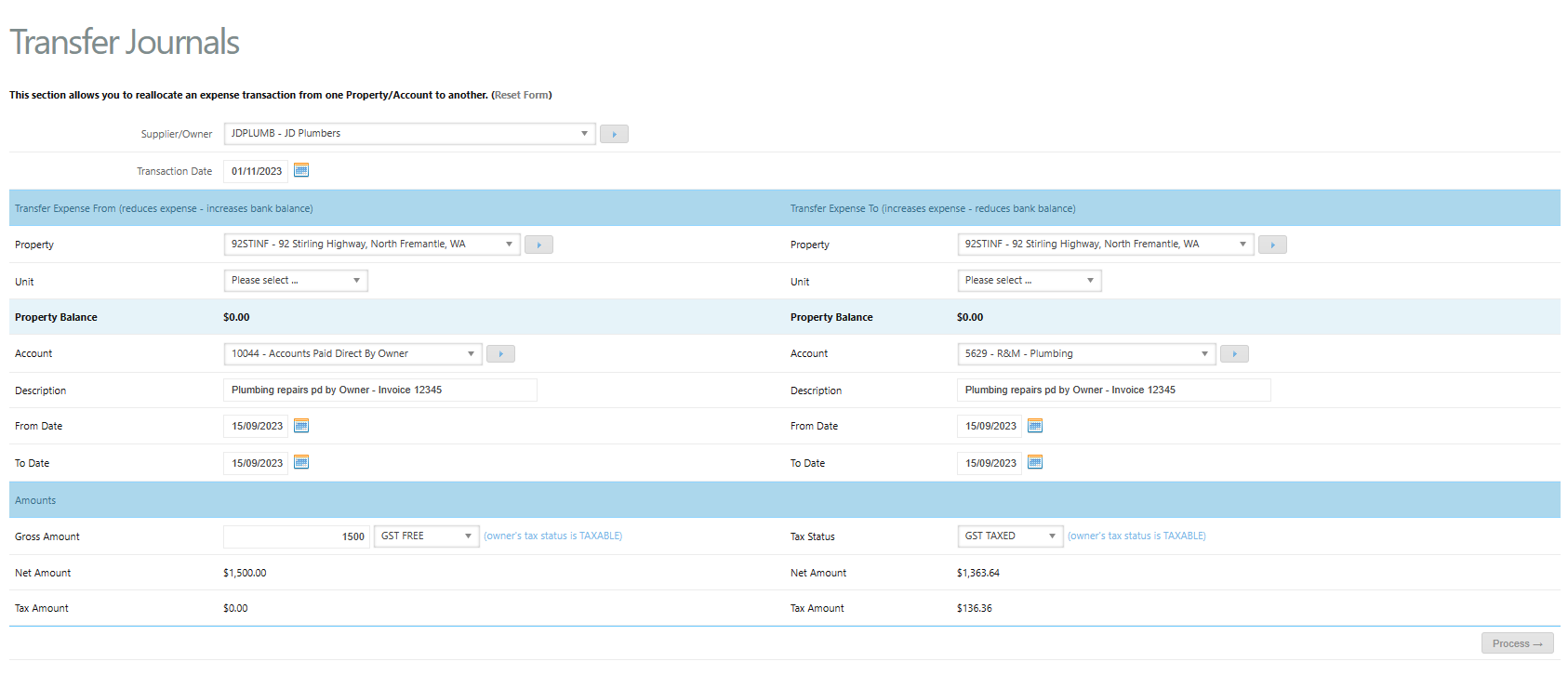
To recognise an expense paid by the owner you will need to create the following AP transfer journal:
- Go to Accounts Payable >Transfer Journal
- Supplier - Select the relevant Supplier as paid by the Owner
- Transaction date - As per payment date
- Transfer Expense From (reduces expense - increases bank balance)
- Property - Select the Property
- Account - Owner Remittance or Accounts Paid Direct by Owner expense code
- Description - Expense paid by owner - invoice No.#.
- From and To Dates - as per invoice
- Amount - as per invoice
- GST - GST Free
- Transfer Expense To (increases expense - reduces bank balance)
- Property - Select the same property
- Account - Expense code for invoice paid e.g. council rates 5002 (VO).
- Description - Will automatically populate
- From and To Dates - Will automatically populate
- Amount - Will automatically populate
- Tax Status - Enter the GST as per the original invoice & Owner GST status
- Upload a copy of the tax invoice
- Click Process
Method 2: Enter a Supplier Invoice - Direct Reimbursement to Owner
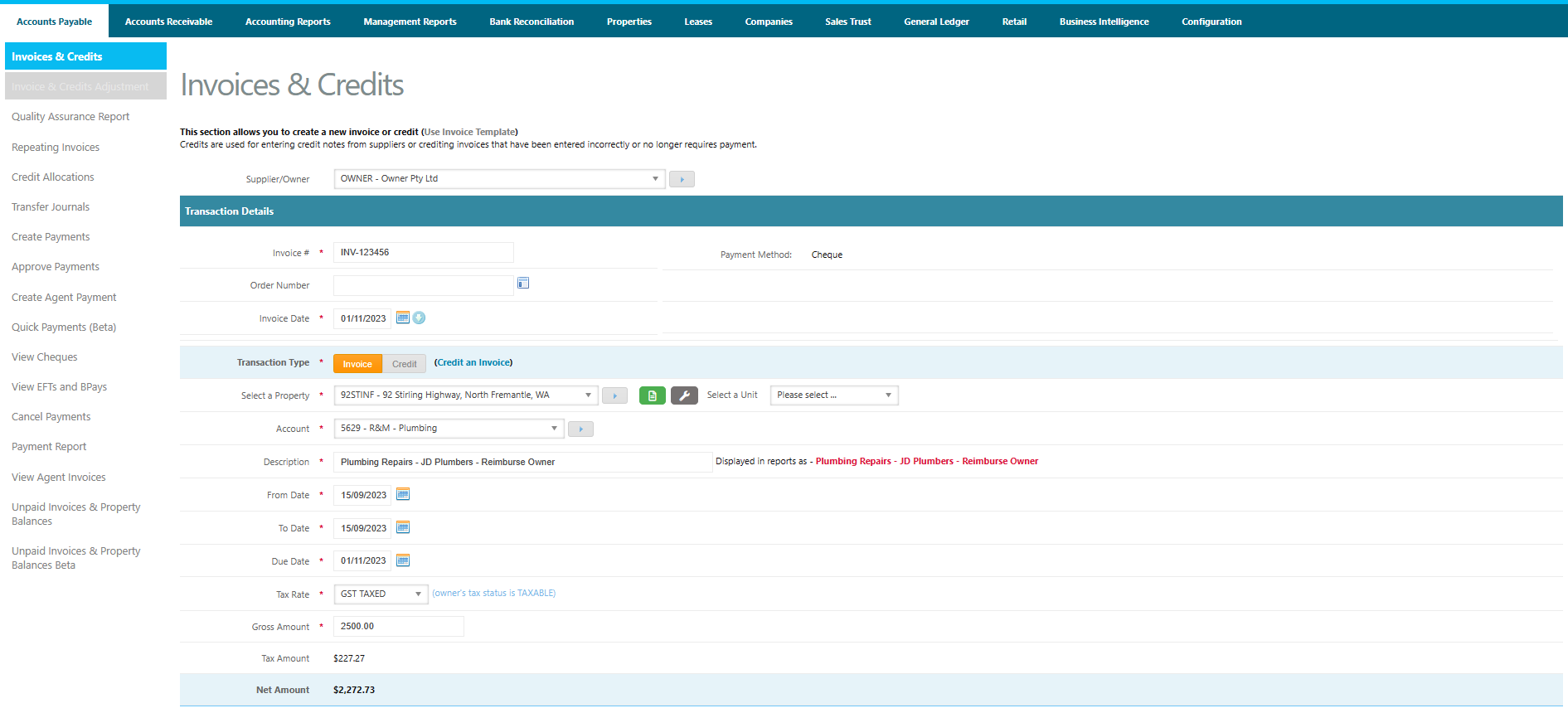
To recognise an expense paid by the owner and create a direct reimbursement, you will need to create an Accounts Payable Invoice as follows:
Go to Accounts Payable > Invoice and Credits
- Supplier - select the Owner as the Supplier (IMPORTANT - do not select the Supplier)
- Invoice # - as per invoice
- Date - as per invoice
- Property - as per invoice
- Account code - expense code based on expense paid
- Description - enter the expense description - e.g. Supplier Name - Reimburse Owner
- GST Status - as per tax invoice
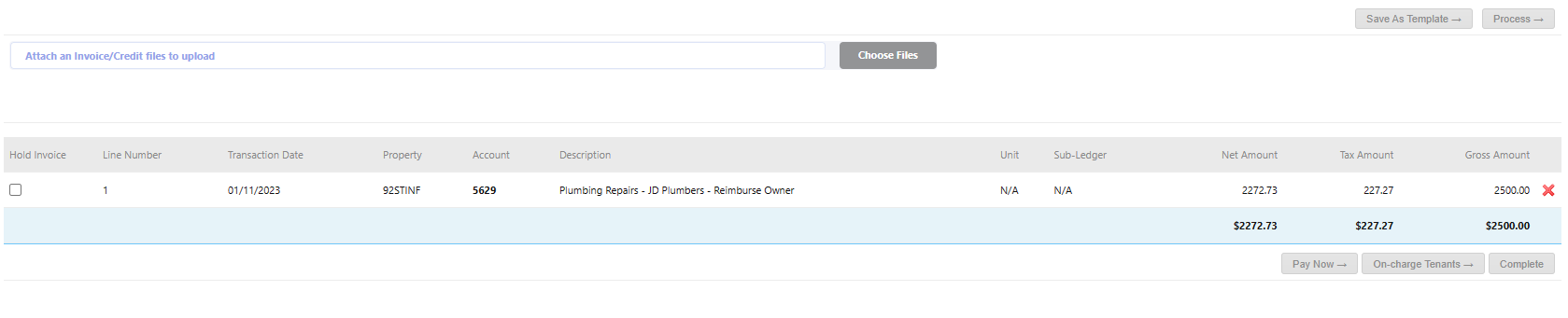
- Click Process
- Attach a copy of the Invoice if available
- Click Complete
See notes here on how to on-charge tenants direct, if required: Invoices & Credits - Accounts Receivable
Was this article helpful?
That’s Great!
Thank you for your feedback
Sorry! We couldn't be helpful
Thank you for your feedback
Feedback sent
We appreciate your effort and will try to fix the article