Adding Maintenance to Property
Search and select a Property from the 'Properties' tab. Once selected, go to the 'Maintenance' tab located on the left hand side of the screen.
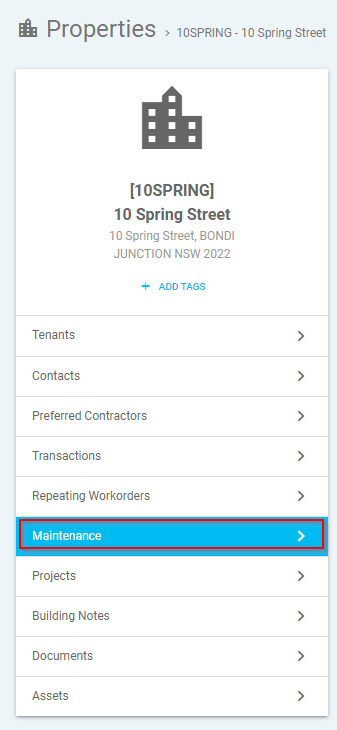
Under the 'Maintenance' tab you are able to action a few options:-
- Back arrow - This will take you back to the previous screen.
- Subscribe - This will subscribe you to receive diary reminders for the property
- Button with Gears - This will update the property settings and add a 'Maintenance Template' for the property
- Create Workorder - This will allow you to create a work order from the maintenance template for the property.
- Red document with PDF symbol - Print/export to PDF
- Green document with X - Print/export to excel.

To add the maintenance template, click 'Update Property Settings' (button with gears) which will open up a new pop-up window and prompt you to enter the following:-
- Invoice Settings - By swiping the bar this will indicate where an invoice will require FM approval
- Maintenance Templates - Select maintenance template from the drop down menu
Once details has been entered click 'x Close'
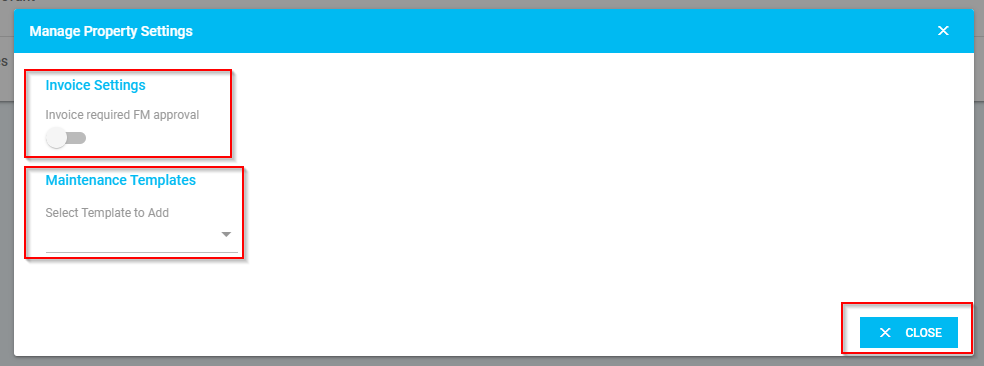
Updating Maintenance Template for Property
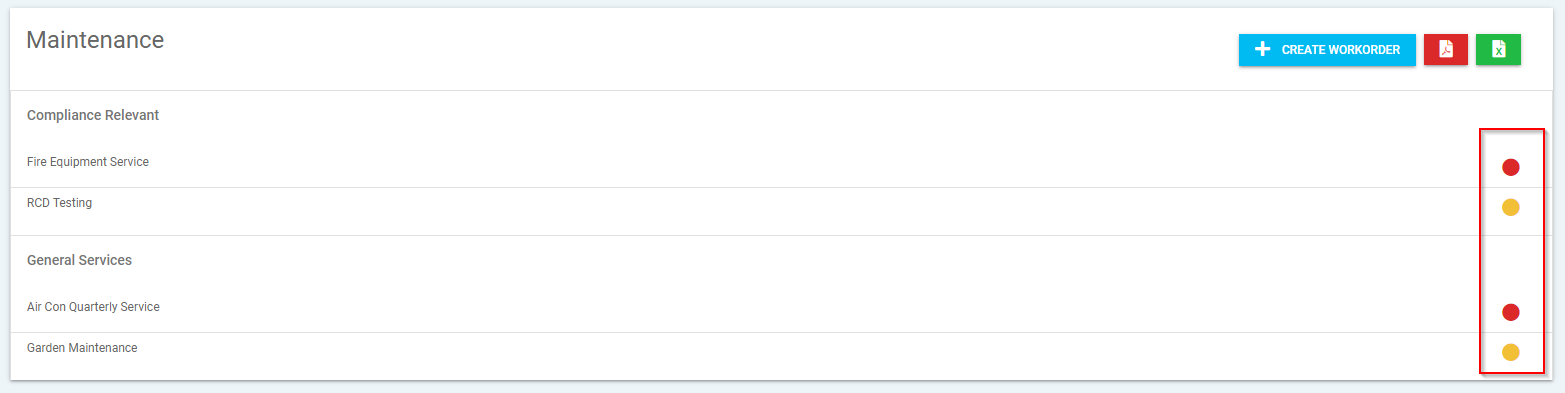
To check the last maintenance date or add a date, click on the coloured dots for each maintenance item which will open up a new pop-up window with the line details. (**Note:  Red Dot – Overdue /
  Orange Dot - Due Soon /
  Green Dot – Current)
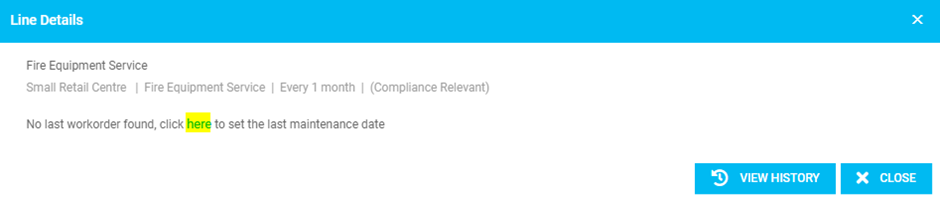
In line details you have the option to complete the following:-
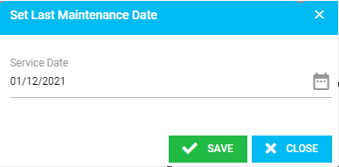
- Last Maintenance Date -This allows you to check the last service date or update/add the service did if none is found
- To update the last service date click 'here'
- Insert the last service date and click 'Save'
- To update the last service date click 'here'
- View History - This will allow you to view the transaction history

Was this article helpful?
That’s Great!
Thank you for your feedback
Sorry! We couldn't be helpful
Thank you for your feedback
Feedback sent
We appreciate your effort and will try to fix the article