Learn how to set up an executive manager dashboard with customizable metrics and visuals to effectively monitor key performance indicators for top-level decision-making.
TABLE OF CONTENTS
Navigate to the Configuration Tab at the top right of the dashboard to configure information prior to utilising the Executive Manager Plus Dashboard:
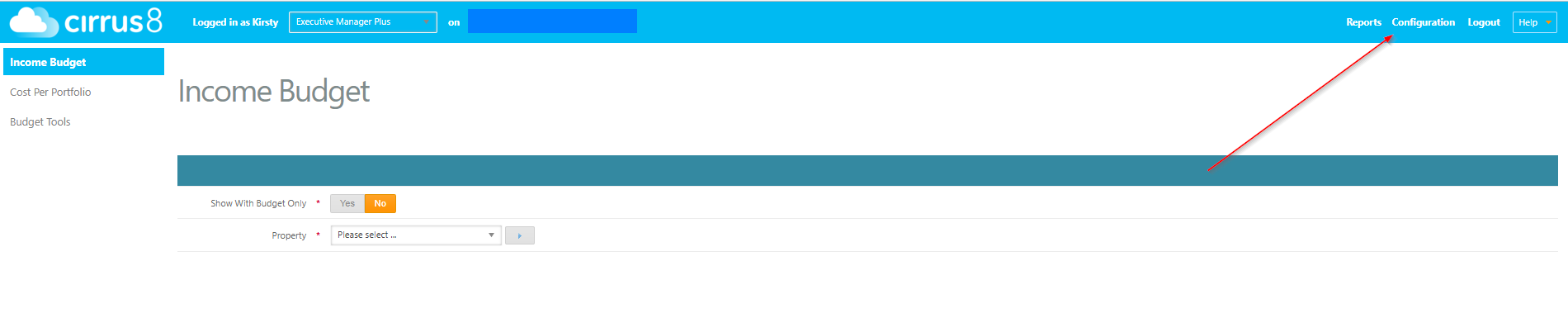
Configure Income Budget
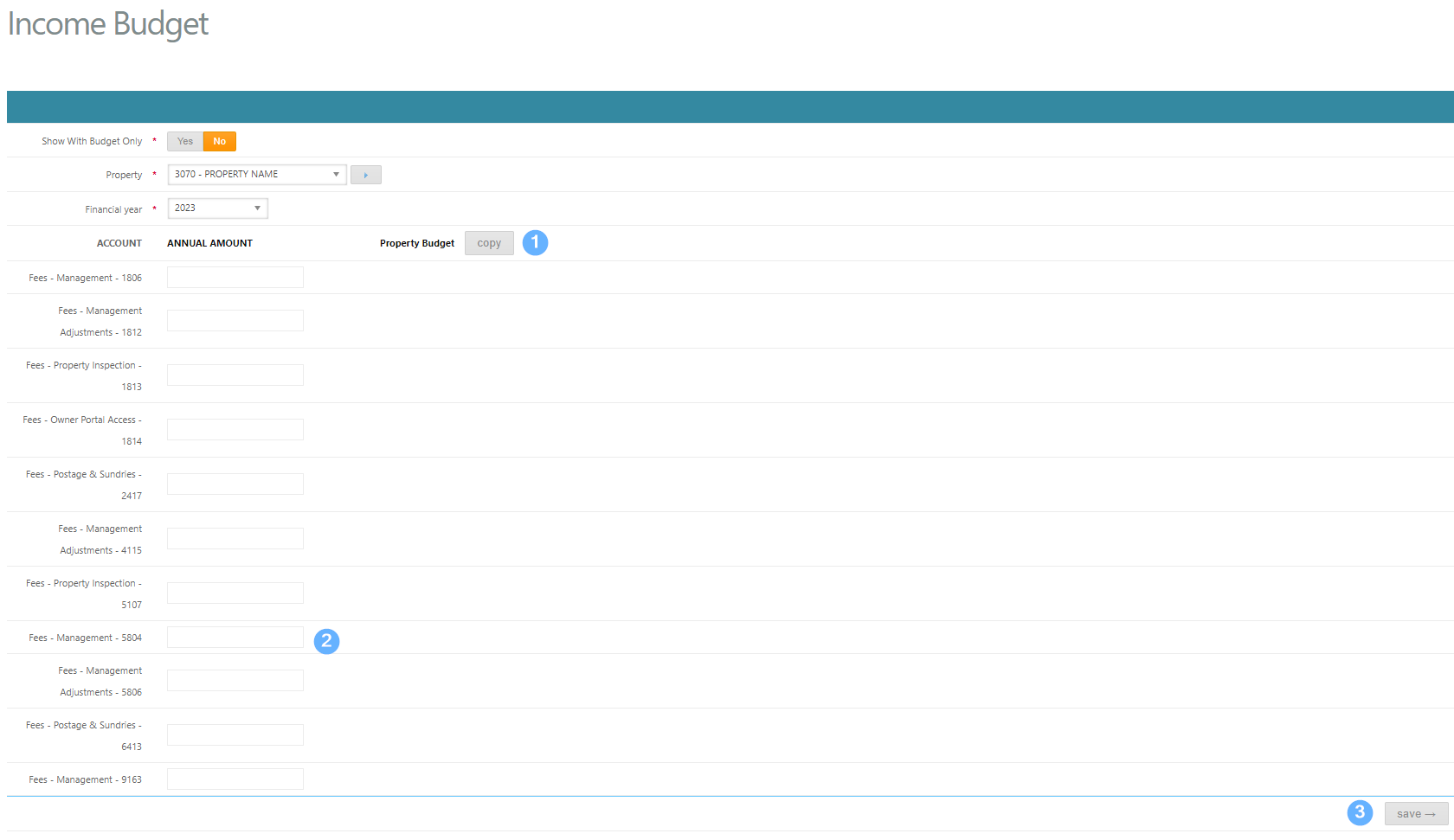
In this function, you are able to enter a budgeted amount for agency fees within each property. This should be used if you have not entered a budget direct into Cirrus8.
PLEASE NOTE: You can copy property budgets in bulk via the Budget Tools function - please refer to the Budget Tools section below- Click Property Budget: Copy to copy any budget figures from Cirrus8.
- Enter an amount in manually if no budget in Cirrus8.
- Hit Save to save any changes.
Configure Cost Per Portfolio
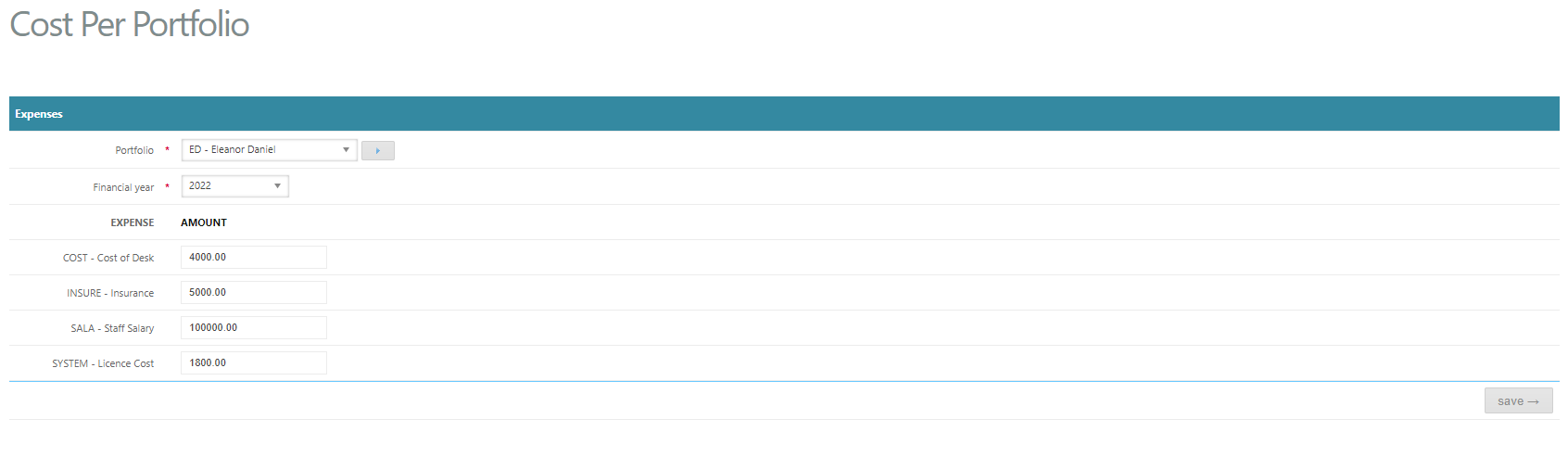
This section allows you to enter expenses associated with each Portfolio Manager, allowing the system to calculate a Gross Profit based on income earned per PM less costs incurred per PM.
There are 4 x default expenses set up:
- Cost of Desk
- Insurance
- Staff Salary
- Software Licence Cost
To add, edit or remove these options, a Trust Accountant user will need to go to Configuration > System Configuration > EMEXPENSES and make any required changes here
Select a Portfolio Manager & Financial Year and enter an annual amount into each field then click Save:
Budget Tools
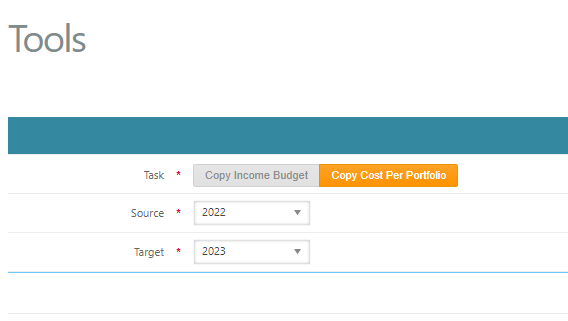
This section allows you to copy Property budgets in bulk from Cirrus8. You are also able to copy Income Budgets and Costs per Portfolio data in bulk, from year to year.
The example below will copy all Property Budgets entered in Cirrus8 for 2023:
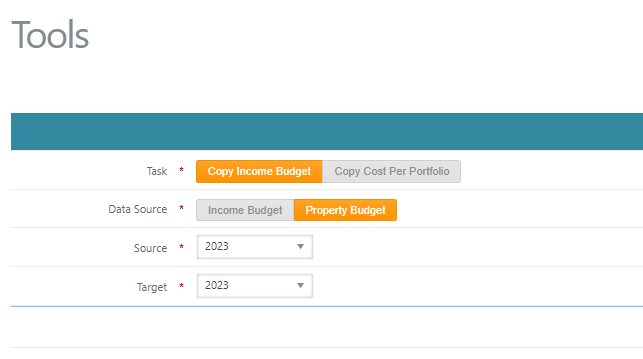
The example below will copy the Cost per Portfolio data from 2022 to 2023:
Was this article helpful?
That’s Great!
Thank you for your feedback
Sorry! We couldn't be helpful
Thank you for your feedback
Feedback sent
We appreciate your effort and will try to fix the article