Property Sale or Lost Management
The Property Sale or Lost Management form is completed by a Property Manager and submitted to the Trust Accountant for processing.
Location:Properties > Property Sale or Lost Management
Use this form when:
A property has been sold, or
The management agreement has ended.
Important – Property Sold but Management Retained
If the property is sold and management continues:
Duplicate the property with the new owner’s details.
The previous owner remains responsible for:
Outstanding debtors and payments up to settlement.
Variable outgoings reconciliation to settlement date.
Property Managers must provide clear settlement instructions to the Trust Accountant.
The original property is made inactive once:
Funds are nil, and
Settlement has been finalised.
All charges raised prior to settlement remain against the original property.
Process
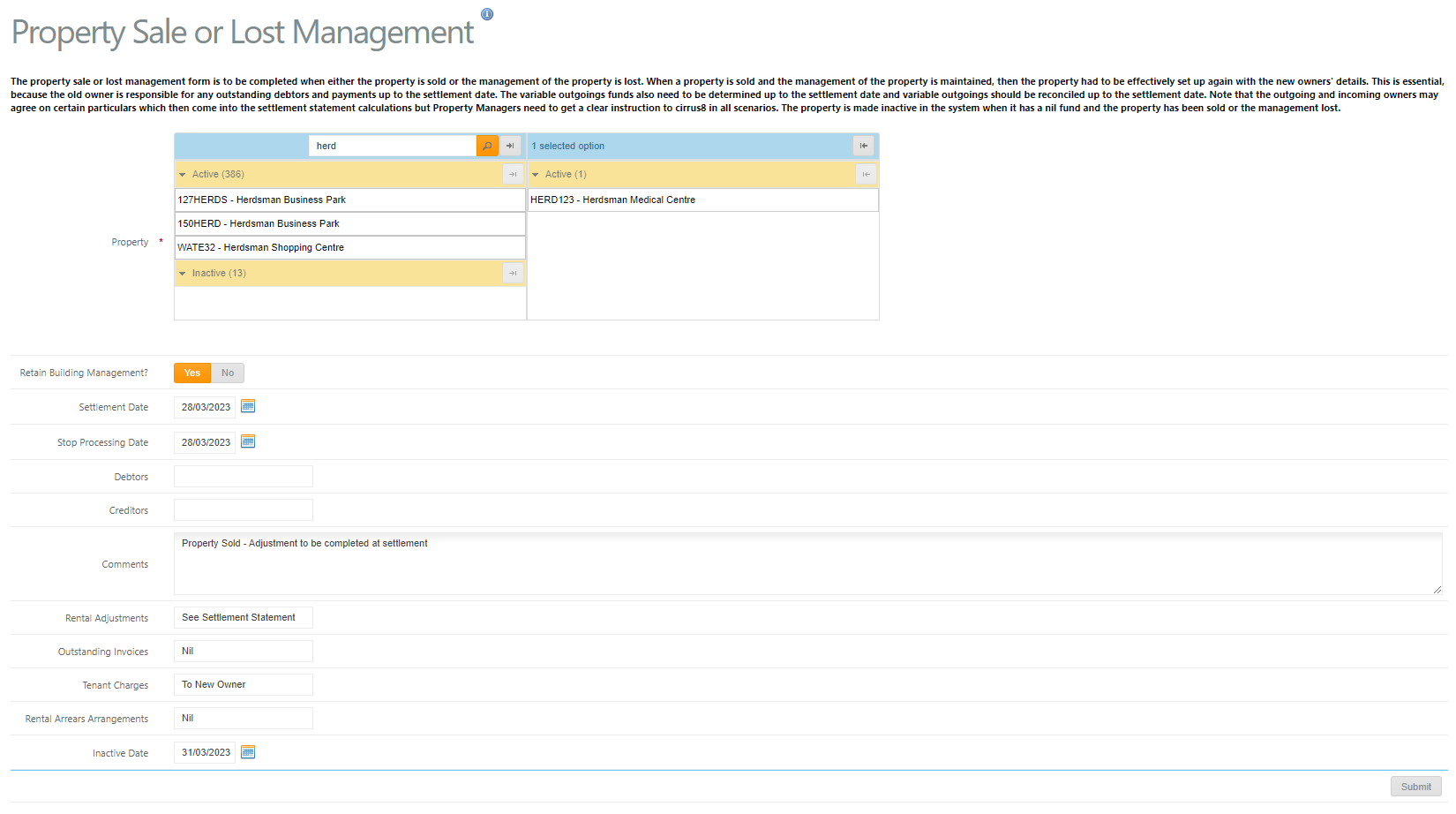
1. Property Manager Submits Form
Select:
Property(s) sold/lost
Retain Building Management – Yes or No
If Yes (Management Retained)
Before submitting:
Create a New Owner Company
Submit payment via Create Payment (if required) to clear balances to the previous owner
If No (Management Lost)
Before submitting:
Submit payment via Create Payment (if required) to clear remaining property/bank balances
Optional Details
Include where applicable:
Settlement Date
Stop Processing Date (normally end of month)
Debtors – Stop tenant charges date
Creditors – Last payment date
Comments – Settlement instructions to Trust Accountant
Rental adjustments
Outstanding invoices
Tenant charges
Rental arrears arrangements
Inactive Date – Property will be made inactive
Click Submit once complete.
Note:
All historical charges remain against the original property record.
Was this article helpful?
That’s Great!
Thank you for your feedback
Sorry! We couldn't be helpful
Thank you for your feedback
Feedback sent
We appreciate your effort and will try to fix the article