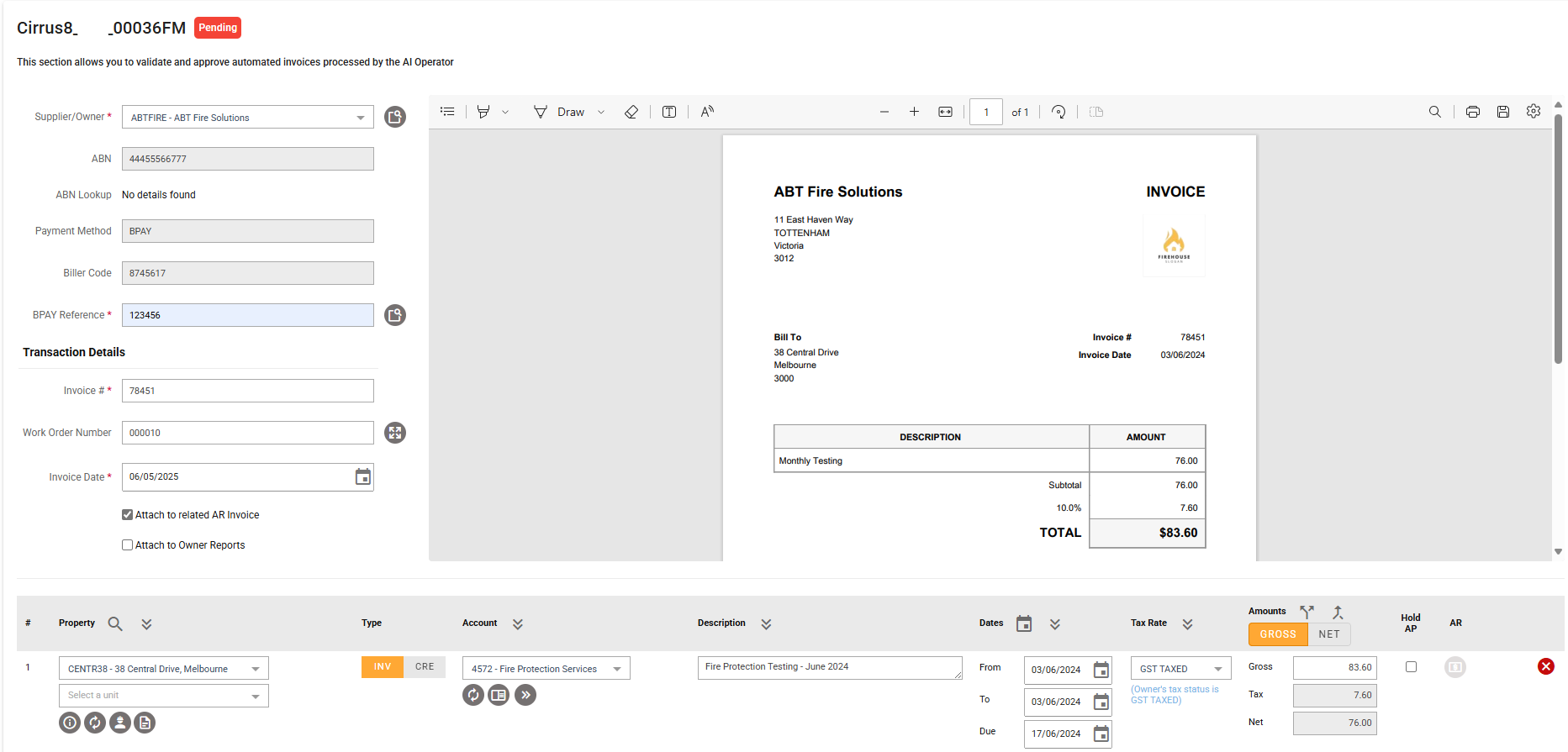
The Automated Invoice feature in Cirrus8 streamlines the invoice processing workflow for Property Managers and Trust Accountants. It allows supplier invoices to be automatically scanned, coded, and uploaded for review and approval. If the invoice is directly recoverable, it also allows users to on-charge this to tenants.
Access
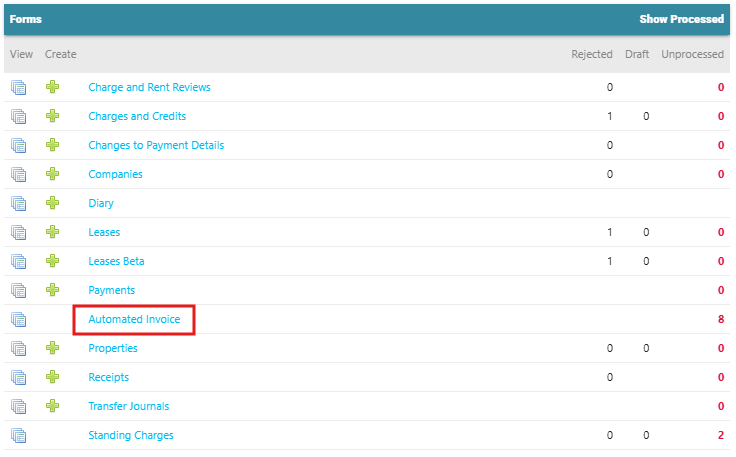
- Location: Dashboard > Forms > Automated Invoice
- Access Level: Property Manager or Trust Accountant
How It Works
Enable Automated Invoice:
- Contact support@cirrus8.com.au to enable Automated Invoice.
- Cost Per invoice is .90cents minium spend is $50GST per month
- $250+GST configuration fee includes 1HR training session.
- Minium 1 months notice needs to commence on the 1st of each month.
Initial Configuration:
- The feature needs to initially be enabled in your Cirrus8 database by our Support Team.
- A dedicated email address will be created and provided to your agency for invoice submissions. This email address is not monitored and is used only to pick up attachments/invoices for processing.
- A [ZZZ] Property will be created for processing any invoices that come through Automated Invoice with unclear property address details - you will need to select the correct property and approve.
- A [ZZZ] Supplier Company will be created for processing any invoices that come through from a Supplier that has not been set up in the system as yet. The Supplier company will need to be created, and the invoice reassigned to the new supplier once done.
Invoice Submission:
- Users email invoices to the dedicated Cirrus8 email address created for your agency.
- Multiple invoices can be sent in one email however each invoice must be a separate PDF attachment.
Invoice Requirements:
- Attachments must be in PDF format, up to 10MB.
- These attachments must be tax invoices and not statements.
Processing Time:
- Invoices are generally processed within 24–48 hours.
Review & Approval:
- Property Managers or Trust Accountants log in to review transaction details, on-charge tenants if required and approve the invoices.
Special Considerations:
- For Council Rates notices, these should be emailed with the subject line as "RATE NOTICE". Each payment option is then entered in Automated Invoice as a separate transaction line. Users can then select the preferred payment option and delete the other transaction lines as required. For details, please refer to: Processing Council Rates Invoices Using Automated Invoice.
Was this article helpful?
That’s Great!
Thank you for your feedback
Sorry! We couldn't be helpful
Thank you for your feedback
Feedback sent
We appreciate your effort and will try to fix the article