Lease charges are the recurring financial obligations set up within a lease, typically during lease creation via New Lease but can be added or modified at any time via Lease Summary. These charges include rent, variable outgoings, parking fees, and other tenant-related costs. Cirrus8 allows for flexible lease charge configurations, supporting both ongoing and fixed-term billing arrangements.
This article explains the key components of lease charge setups and how each field influences tenant invoicing and financial reporting.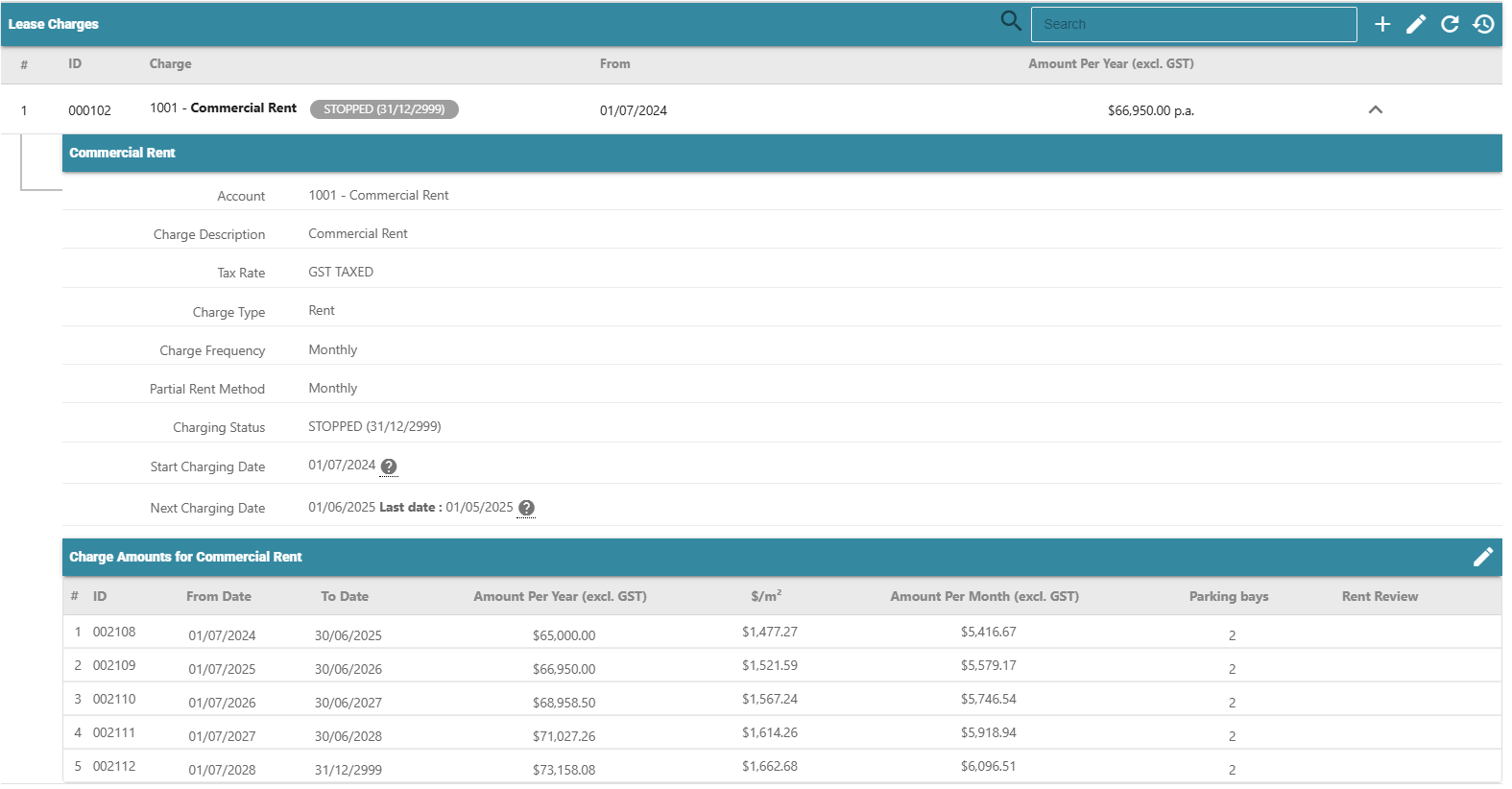
Key Components of Lease Charges
Lease charges control how rent and other amounts are billed to tenants in Cirrus8.
1. Account Code
Defines how the charge is recorded and reported financially.
Select an account code that matches the charge type (e.g. Rent, Variable Outgoings).
2. Charge Description
Defaults to the account code name but can be edited for tenant invoices.
Example:
Base Rent → Office Rent
3. Charge Type
Controls how the charge appears in the Quick Tenancy Schedule.
Examples:
Rent, Parking
4. Charge Frequency
How often the charge is billed (monthly, quarterly, annually).
Must align with the lease agreement.
5. Partial Rent Method
Determines how charges are pro-rated for part periods.
Monthly Method: Annual ÷ 12 ÷ 30 × days occupied
Annual Method: Annual ÷ 365 × days occupied
Use the method aligned to your agency policy.
6. Charging Status (Stop Charging Date)
Controls whether the charge is active.
Active: Stop date set in the future (best practice: 31/12/2999)
Inactive: Charge ends on the stop date
Stop dates are automatically applied when a lease is vacated.
7. Start Charging Date
Defines when the charge begins.
Use lease start date to include history
Use a future date to charge forward only
8. Next Charging Date
The next period the charge will be invoiced during standing charges.
Only charges with a next charging date inside the reporting period are raised.
9. Charging Amount
Enter the annual amount excluding GST.
Example:
$100,000 + GST → enter $100,000
Was this article helpful?
That’s Great!
Thank you for your feedback
Sorry! We couldn't be helpful
Thank you for your feedback
Feedback sent
We appreciate your effort and will try to fix the article