Accounts Receivable > Receipts
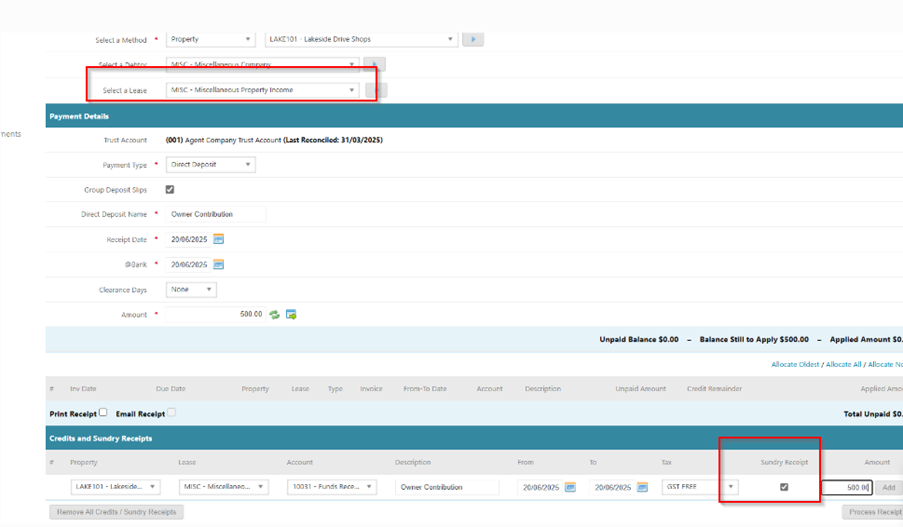
- Property: Select the property funds are to be receipted to
- Lease/Debtor: MISC
- Direct Deposit Name: Name of who made payment (as per bank statement)
- Receipt & At Bank Date: Date funds were received
- Amount: Amount Received
- Click on Add Credit / Sundry Receipt
- Select Balance Sheet account code - Owners Contribution . Funds Received from owner
- Tax: Should be left as GST Free
- Tick Sundry Receipt
- Enter Amount, click Add and Process Receipt
Was this article helpful?
That’s Great!
Thank you for your feedback
Sorry! We couldn't be helpful
Thank you for your feedback
Feedback sent
We appreciate your effort and will try to fix the article