The Manage Calendar page allows a Trust Accountant user to create and manage all property calendar periods. This article covers the functionality of this page.
Master Calendar and Generate New Periods
The master calendar is the central calendar from where all calendars can be managed, i.e. if you create a master calendar for the 2027 year then individual property calendars can be created from there. The master calendar name is normally called - 'Financial'.
To generate new master calendar periods, go to:
- Configuration > Manage Calendar
- Select Master Calendar - Select Financial from the drop-down menu
- Generate New Periods – Cirrus8 will advise the next available year e.g. Generate 12 additional master calendar periods starting on 01/07/2027
- Click Create

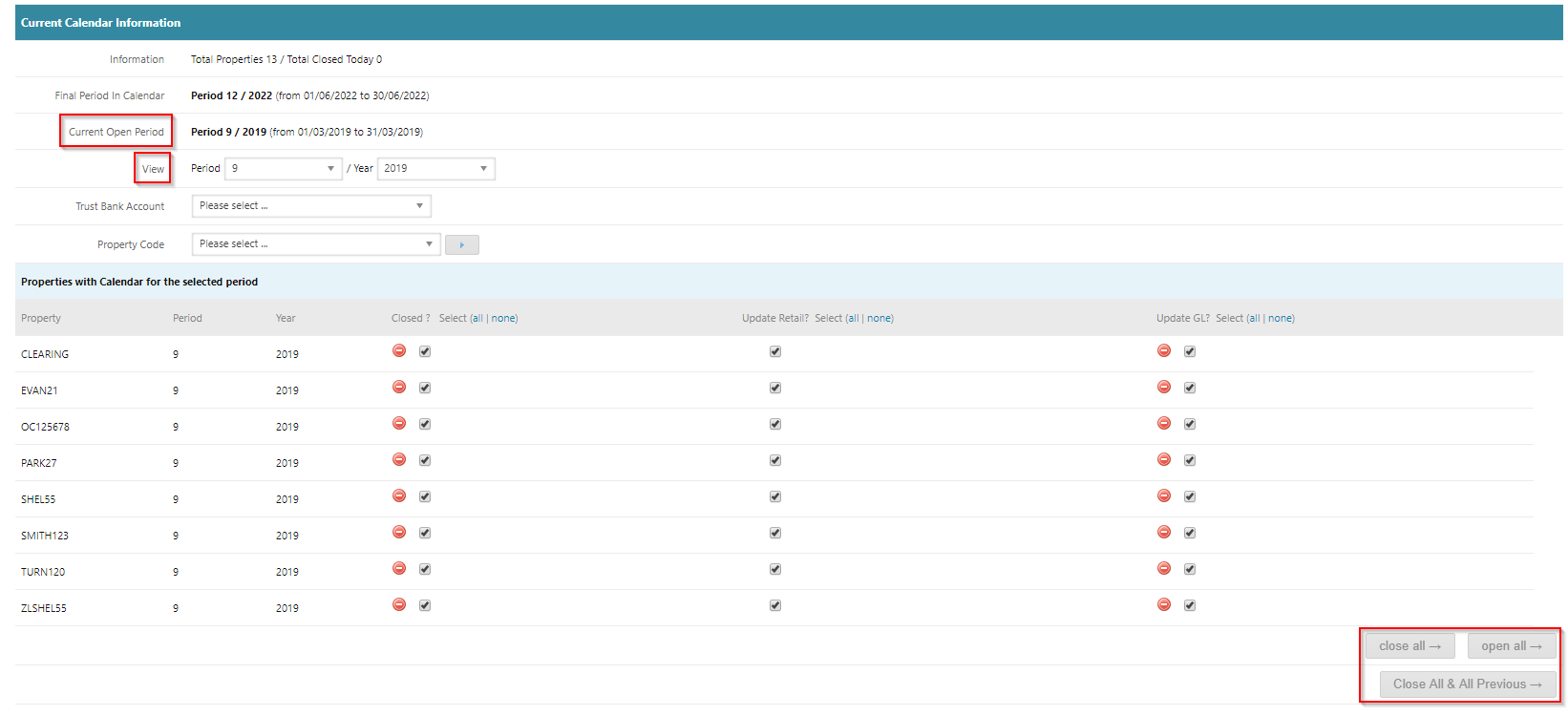
Current Calendar Information
The Current Calendar Information section displays all property periods which are opened and closed for the selected period.
 this icon indicates that the calendar is open for the selected period you are viewing
 this icon indicates that the calendar is closed for the selected period you are viewing
You can open and close single or multiple property calendars by using the tick box and selecting an option
For more information managing this section refer to the article: Extend Property Calendar
Was this article helpful?
That’s Great!
Thank you for your feedback
Sorry! We couldn't be helpful
Thank you for your feedback
Feedback sent
We appreciate your effort and will try to fix the article