A Bond Sub Ledger acts as a separate record for individual bonds held within the trust account, ensuring accurate tracking and segregation of bond funds.
Before bond funds can be receipted, a Bond Sub Ledger must first be created under the main Bond Ledger and linked to the relevant lease. This article outlines the steps required to complete this setup process.
To create a bond sub ledger, follow the below steps as a Trust Accountant user:
- Go to Leases > Lease Summary
- Select the relevant Lease
- Go to the Overview > Lease Details section
- Click on the Edit Pencil for this section
- Select the relevant Bond Ledger as the Bond/Deposit Property from the drop-down menu
- Click on Add Bond/Deposit Lease

A pop-up box will appear with a prepopulated sub ledger lease code starting with ZB and a lease name. These details should be left as is.
- Click Save
- Click Save Details at the bottom right to save
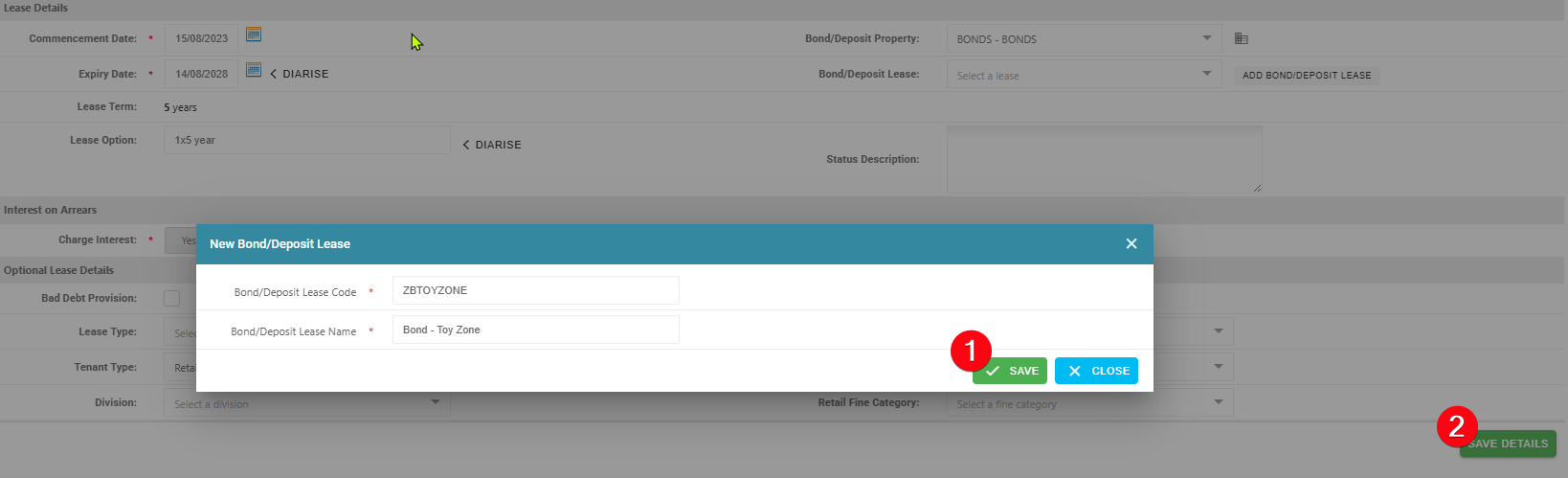
Ensure that the bond ledger and bond sub ledger are saved under the lease details section, as shown in the example below. This confirms that the sub ledger has been successfully linked.

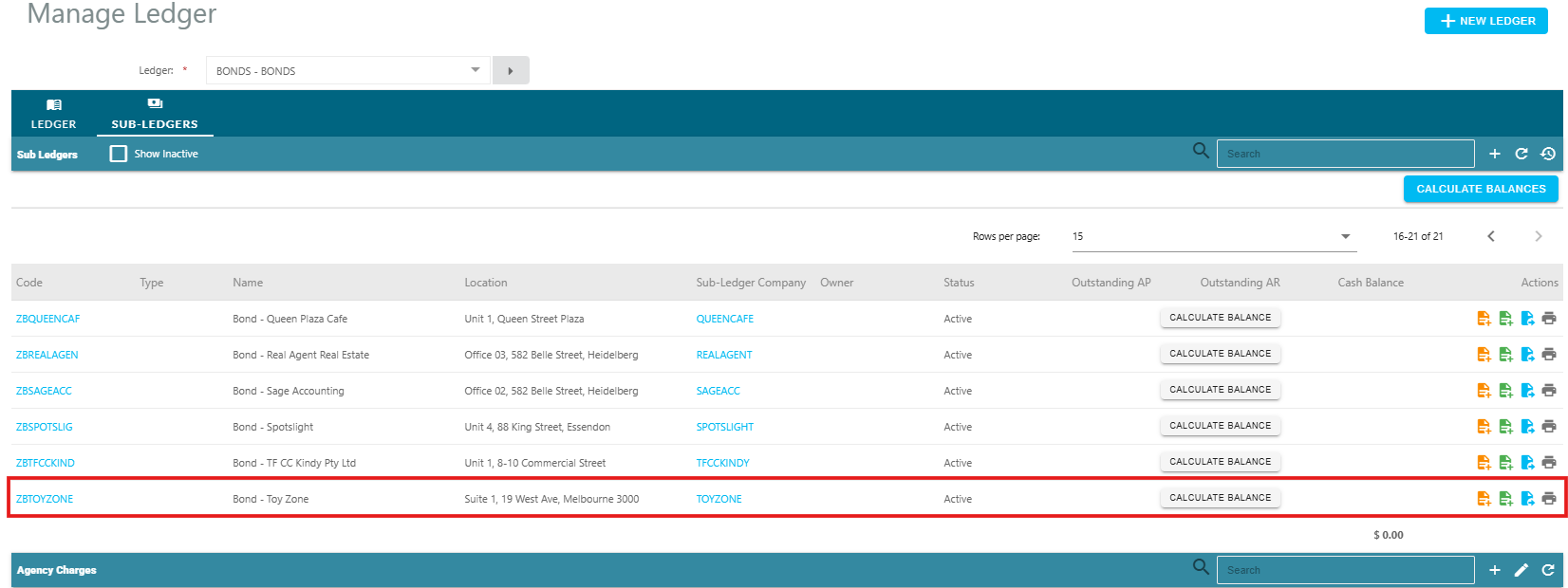
This will then create a new sub-ledger within the sales trust:
Next Steps:
Was this article helpful?
That’s Great!
Thank you for your feedback
Sorry! We couldn't be helpful
Thank you for your feedback
Feedback sent
We appreciate your effort and will try to fix the article