Tenant Bond
Overview
Link a Property with a Bond/Deposit Ledger
Link a Lease with a Bond/Deposit Sub-Ledger
Create a Tenant Bond Invoice
Receipt the Tenant Bond payment
Confirm it transfers to the Tenant Bond Sub-Ledger
Check the Tenant Bond Balance on the lease
1) Link a Property with a Bond Ledger
Go to Properties → Manage Property
Search for and open the relevant Property
Locate the field(s) for Bond/Deposit Property or Bond/Deposit Ledger
Verify the property is linked to the correct Bond/Deposit ledger (as per your trust/ledger structure)
Save the property (if any change was made)
Result: The property is correctly connected to the ledger where bond will be managed.

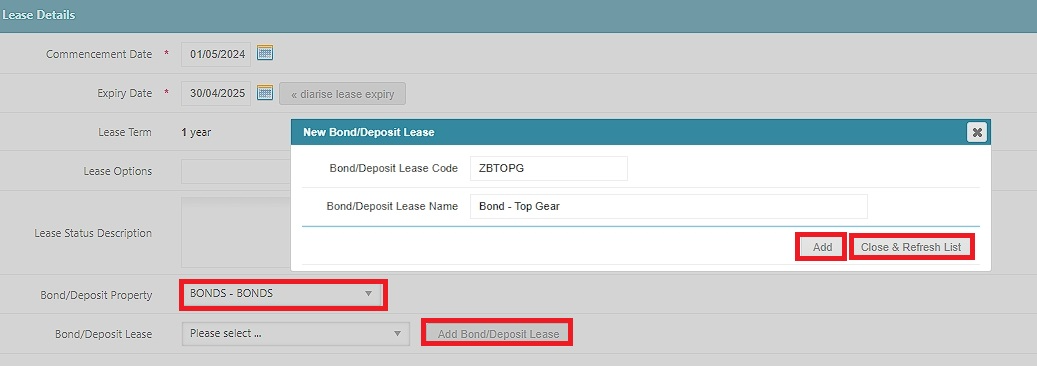
2) Link a Lease with a Bond Sub-Ledger (create the bond/deposit sub-ledger)
Go to Leases → Manage Lease
Search for and open the relevant Lease
Select Add Bond/Deposit Lease (or Add Bond/Deposit Sub-Ledger)
Click Add
Click Close & Refresh List
Result: The lease now has an associated Bond/Deposit sub-ledger where bond funds can be held/allocated.
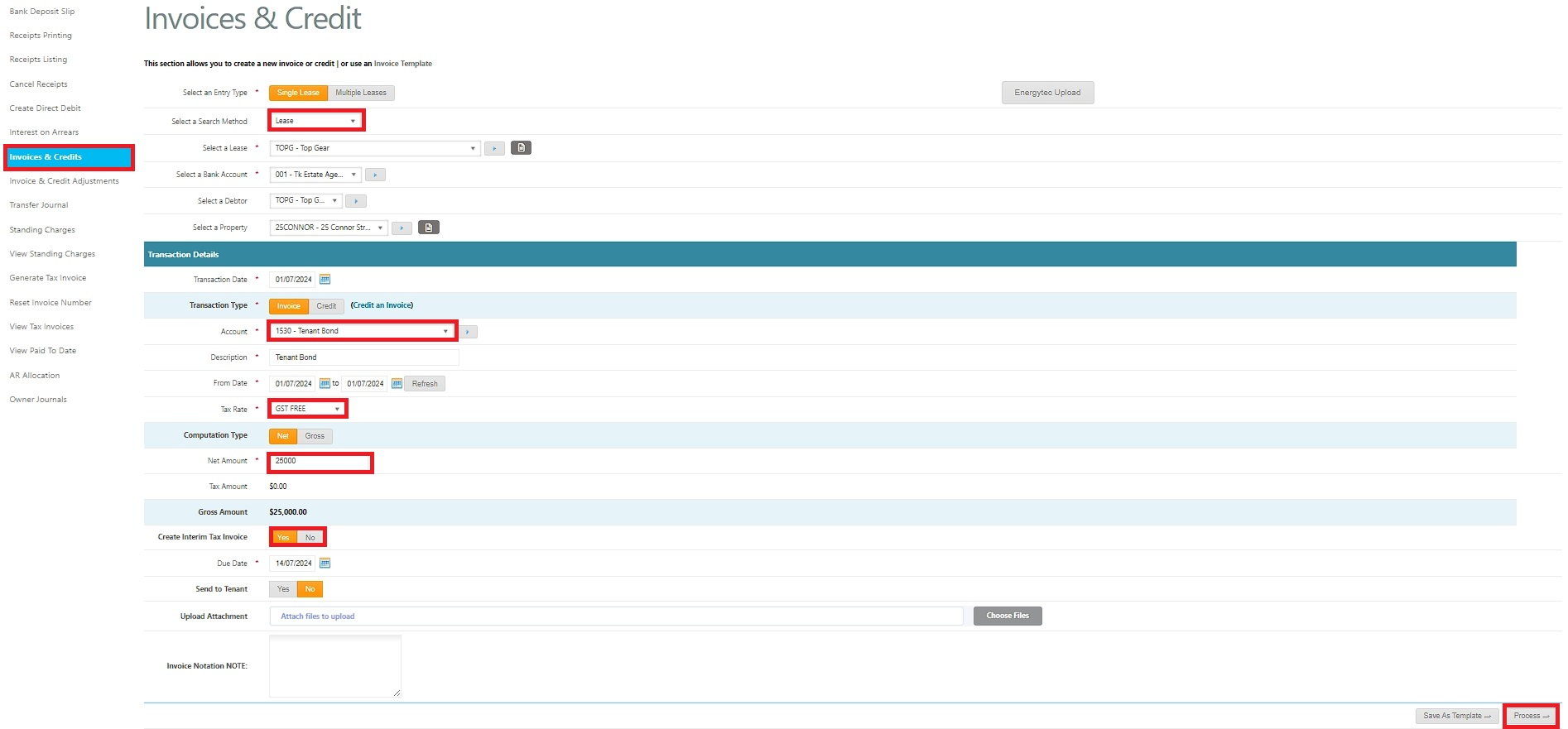
3) Create a Tenant Bond Invoice
Go to Accounts Receivable → Invoices & Credits
Click New Invoice (or equivalent “Create Invoice”)
Select the relevant Lease
Set the Account to 1530 – Tenant Bond
Enter the Bond amount, date, and any reference/notes required
Save/Post the invoice
Result: The Tenant Bond is raised as an Accounts Receivable invoice against the lease.
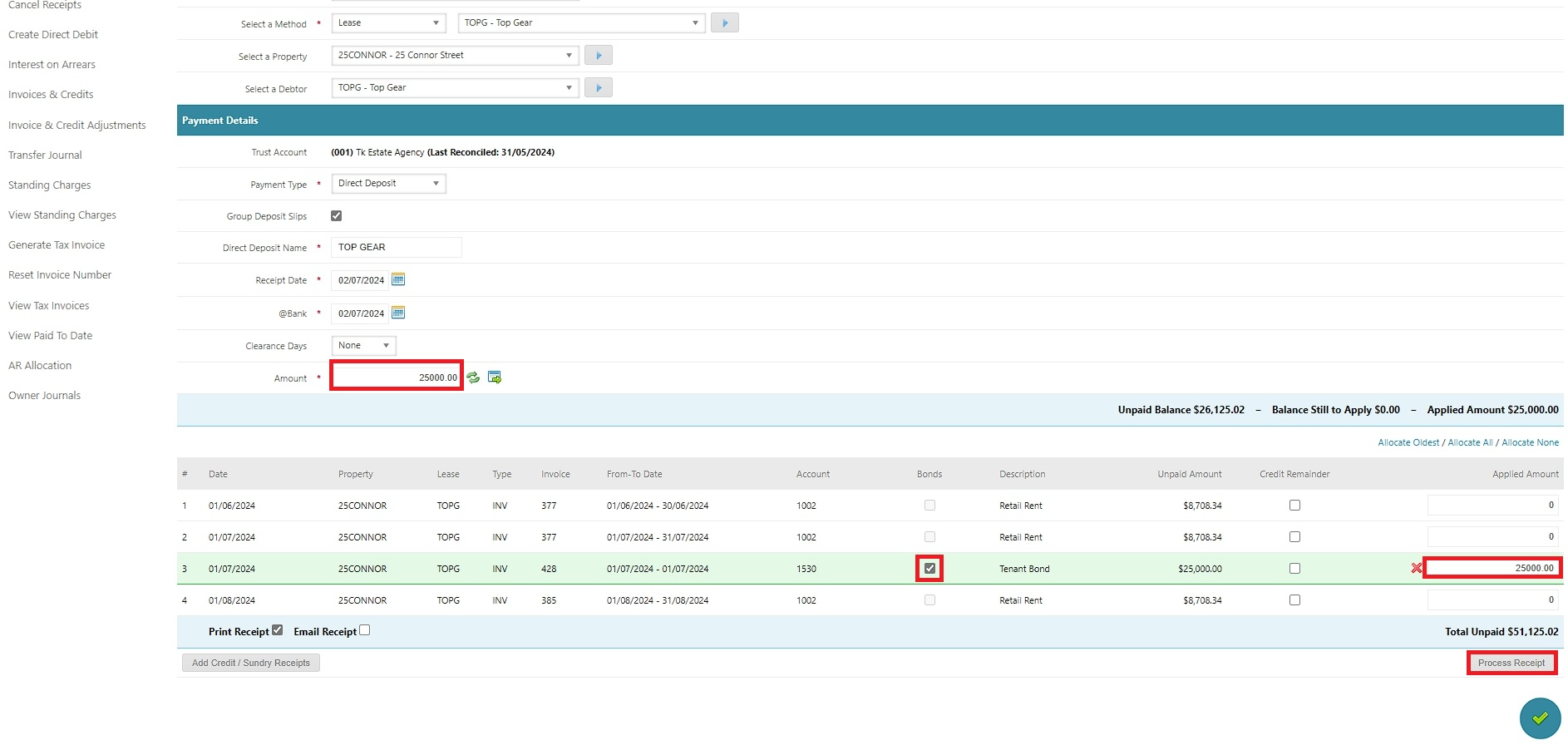
4) Receipt the Tenant Bond payment
Go to Accounts Receivable → Receipts
Create a New Receipt
Select the relevant Lease
Find the outstanding Bond/Deposit invoice and apply the receipt to it
Tick “Bonds” (important step)
Confirm payment details (amount, date, method, reference)
Save/Post the receipt
Result: The bond invoice is paid and the receipt is correctly treated as bond money.
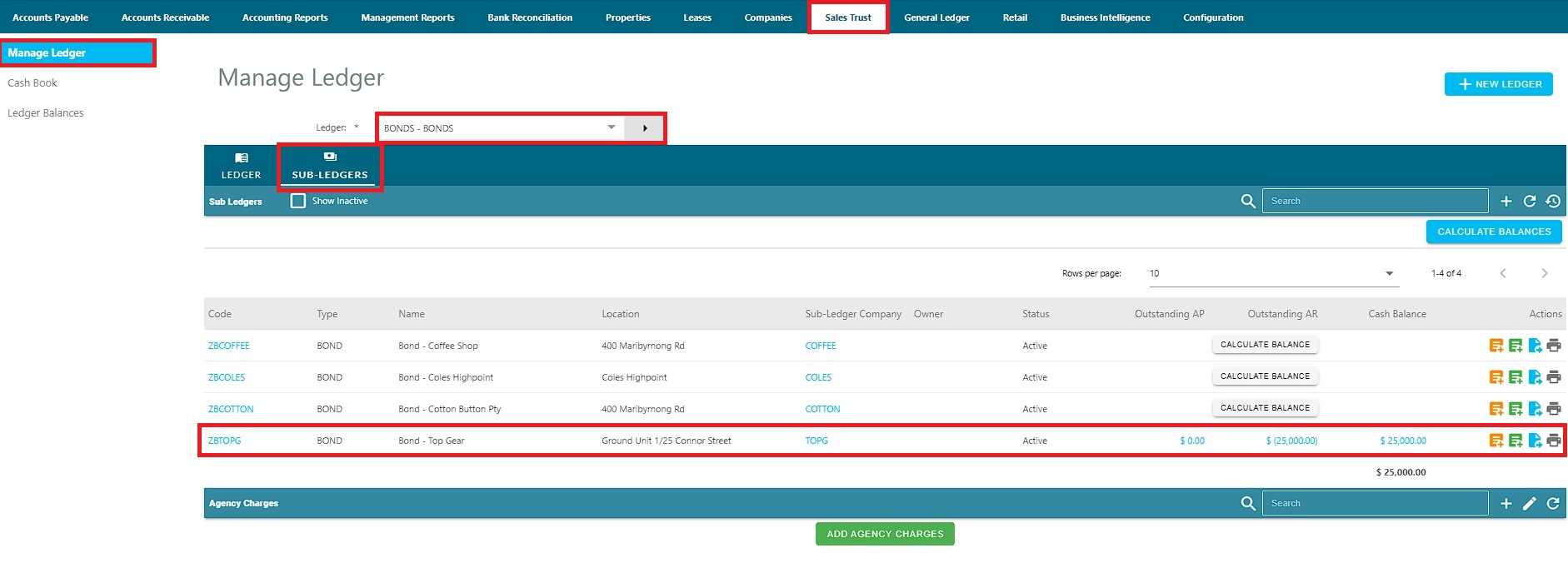
5) Confirm the bond moved to the Tenant Bond Sub-Ledger
Go to Sales Trust → Manage Ledger
Locate the bond transaction for the lease/property
Confirm the bond has automatically transferred to the linked Bond/Deposit Sub-Ledger
Result: Bond funds are now held in the proper sub-ledger (trust side), not just showing as a receipted AR item.
6) Check the Tenant Bond balance on the Lease
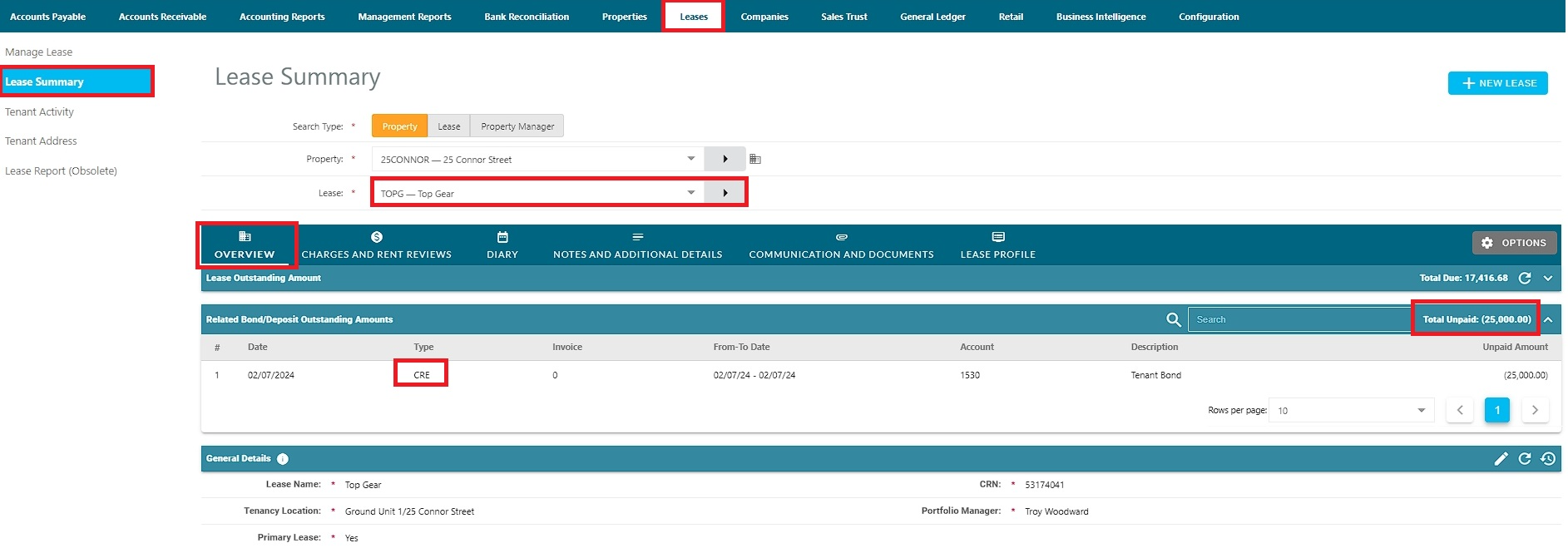
Go to Leases → Lease Summary
Locate Bond/Deposit Outstanding
Interpret the figure:
Credit / negative amount = bond held in trust
Positive amount = unpaid bond invoice(s) still outstanding
Result: You’ve validated whether the bond is held (credit) or still unpaid (debit).
.
Was this article helpful?
That’s Great!
Thank you for your feedback
Sorry! We couldn't be helpful
Thank you for your feedback
Feedback sent
We appreciate your effort and will try to fix the article