This article outlines the steps required to transfer a tenant bond to an Owner or Supplier.
This process can be used in situations such as:
- When a property is being sold and the bond needs to be transferred to the new owner.
- Management of a property is being handed over to a new agency.
- An owner has requested to hold the bond in their bank account, to be returned at a later time.
- A bond is required to be lodged to a bond authority
- A bond is to be held in an interest-bearing account
Step 1. Enter an Accounts Payable Invoice
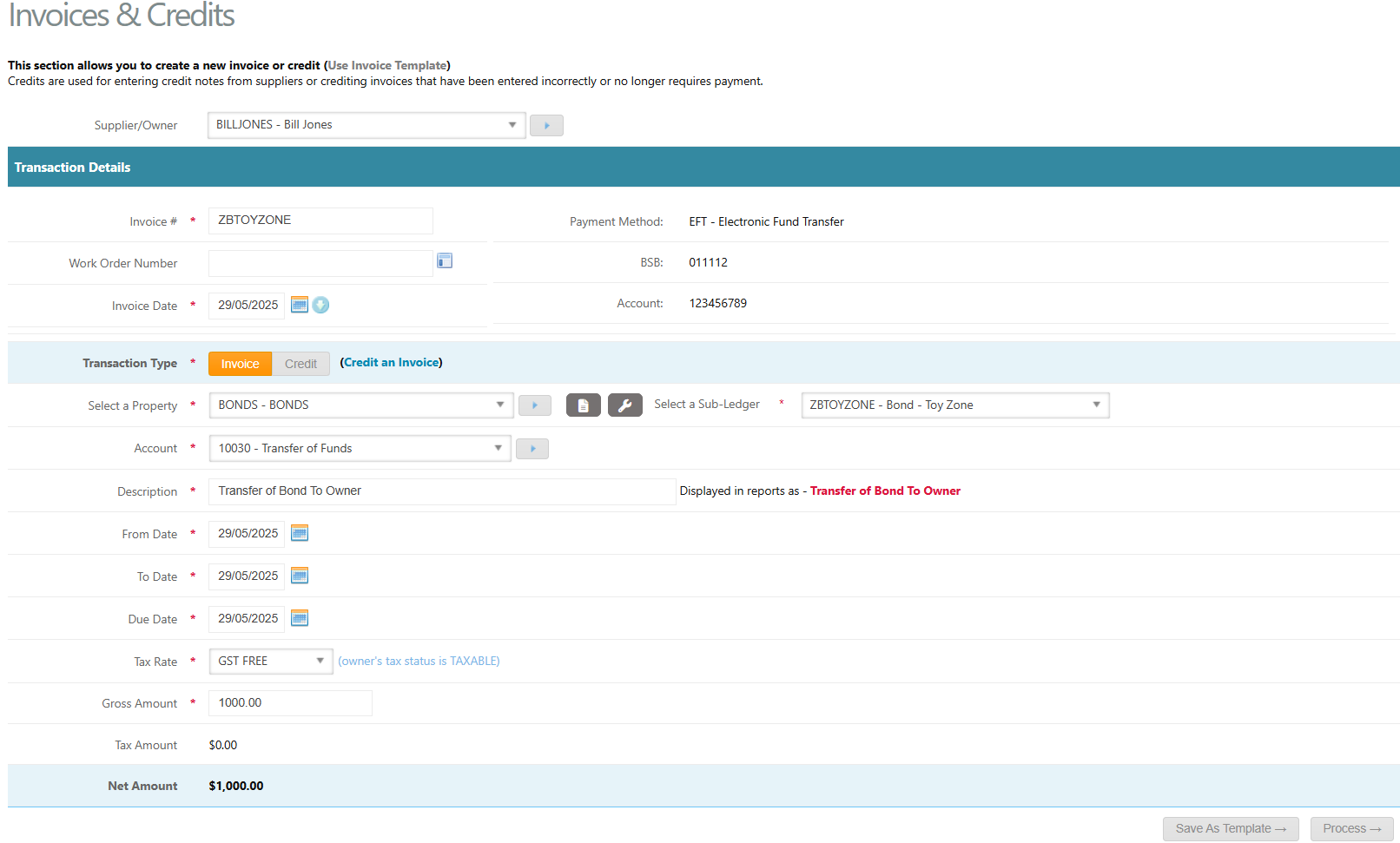
- Go to Accounts Payable > Invoices & Credits
- Select the relevant Supplier/Owner
- Enter an Invoice Number e.g. this is often the Property or Lease Code
- Enter the Invoice Date as today's date and click on the blue down arrow icon to push the dates into the From Date, To Date and Due Date fields.
- Select the Bond Ledger as the Property and select the relevant Sub-Ledger the funds are to be drawn from
- Select an Account
- Enter the Tax Rate as GST FREE
- Enter the Gross Amount as the amount of bond to be transferred
- Click Process
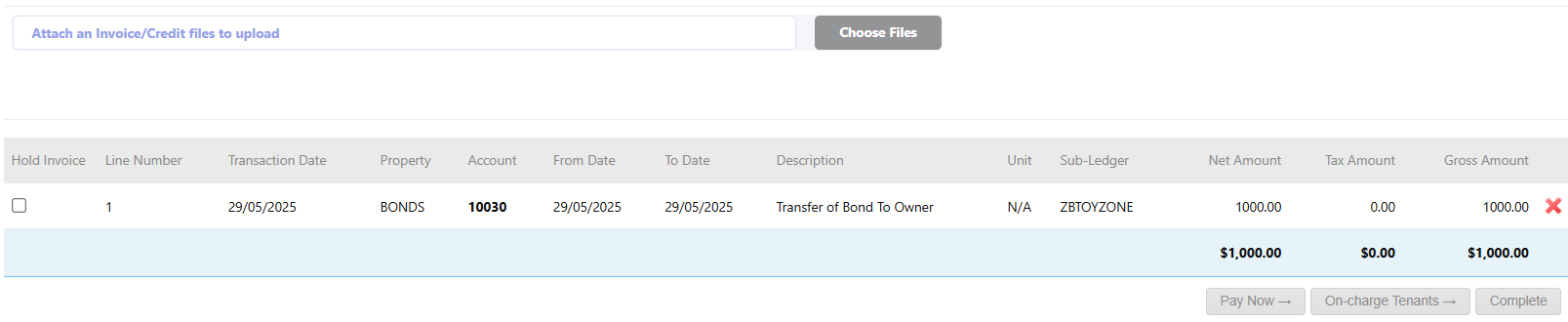
- Attach any documents if required
- Click Complete
Step 2. Pay Accounts Payable Invoice
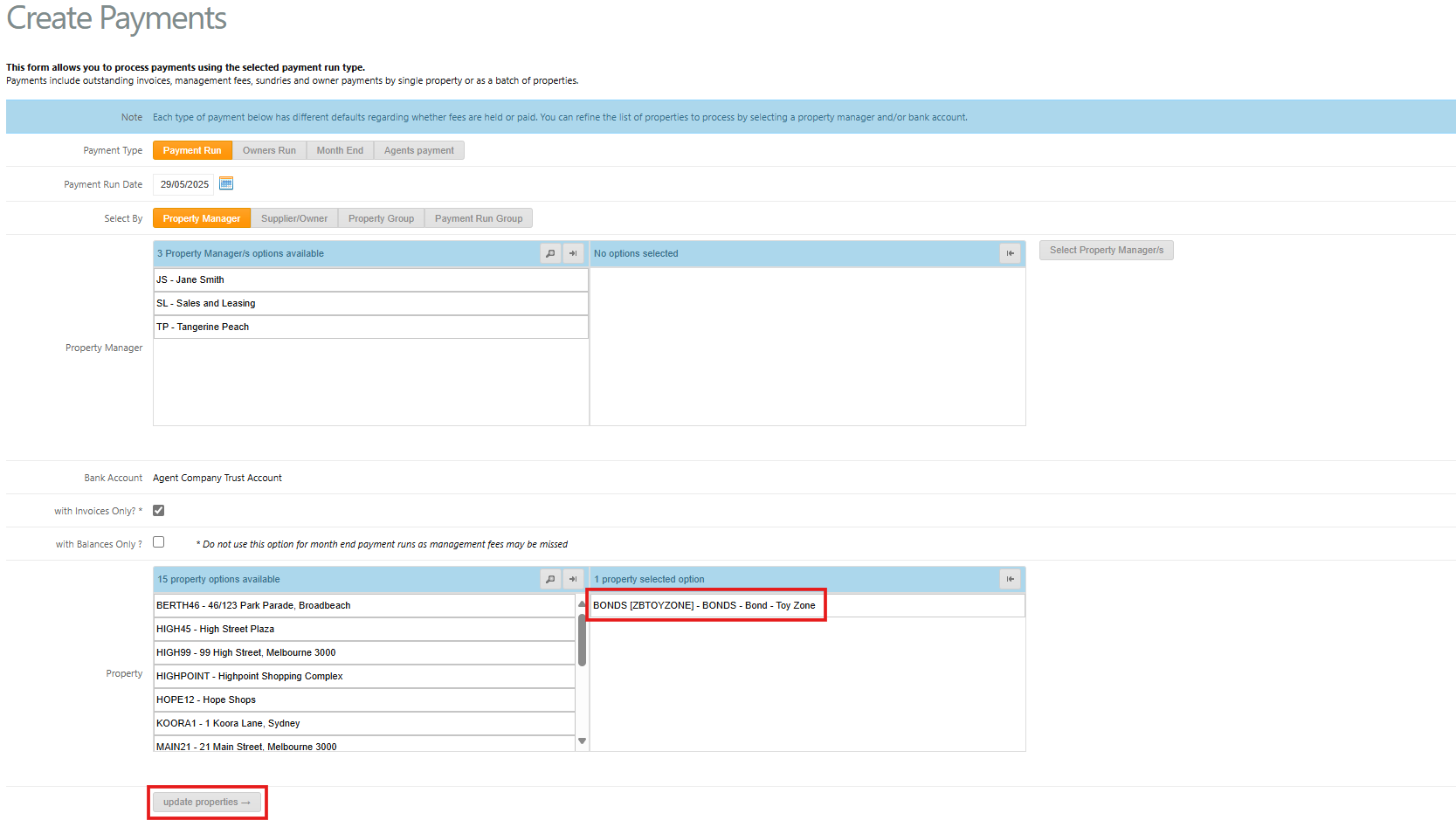
- Go to Accounts Payable > Create Payments
- Select Payment Type as Payment Run
- Select the Bond Ledger as the Property
- Click update properties
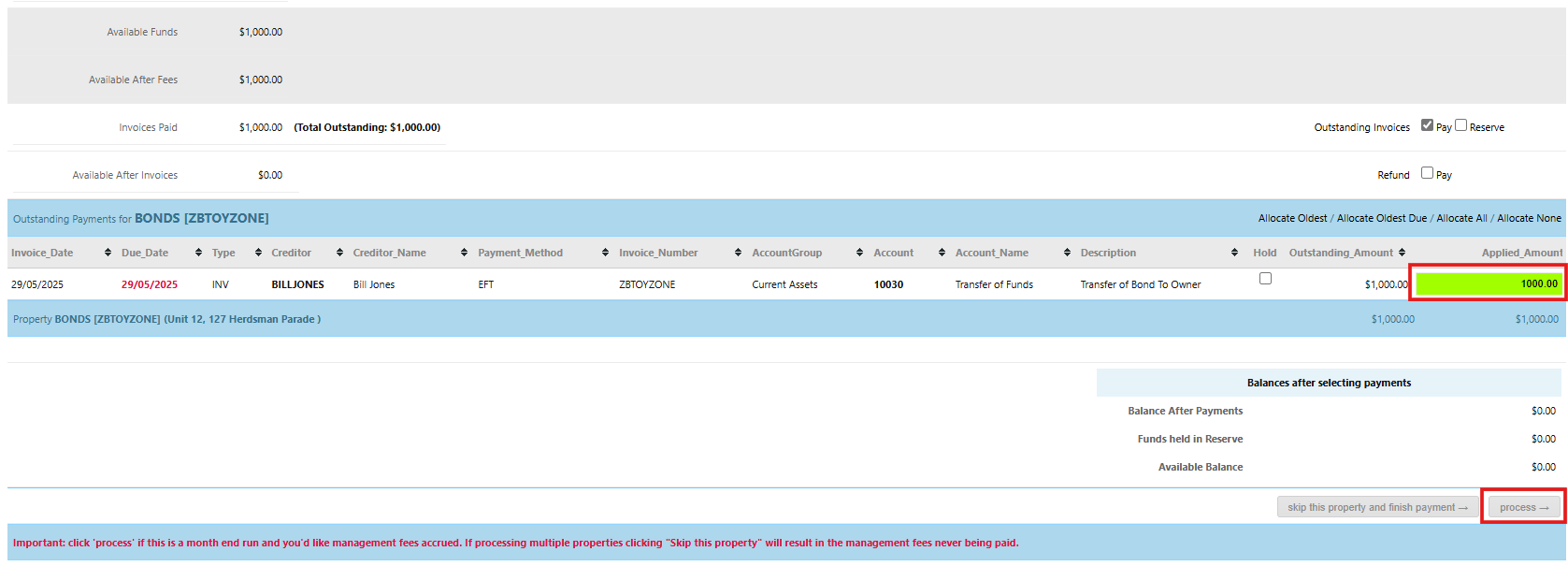
- Scroll down and select the invoice to pay by double clicking on the Applied Amount box next to the invoice
- Click process in the bottom right-hand side
Was this article helpful?
That’s Great!
Thank you for your feedback
Sorry! We couldn't be helpful
Thank you for your feedback
Feedback sent
We appreciate your effort and will try to fix the article