NOTE: Must be an Administrator to add an Template
Adding a Template
As an Administrator, go to 'Administration' and select 'Maintenance Template' then click 'Create New Template'.
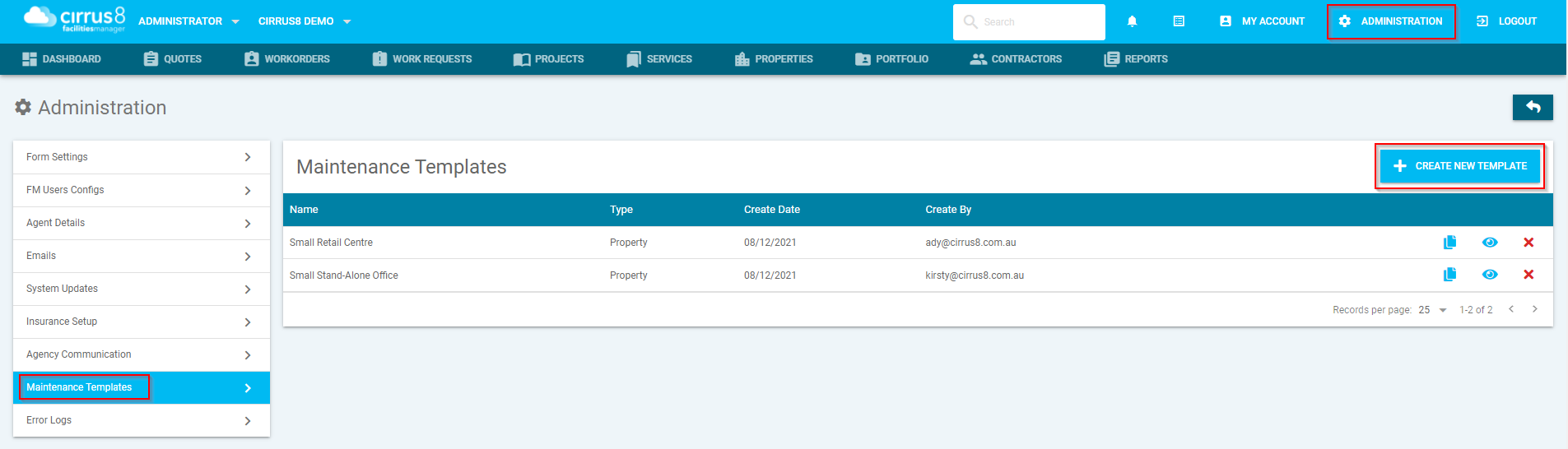
Select “Create New Template”
Click Create New Template.
A new pop-up window will open.
Understand Mandatory Fields
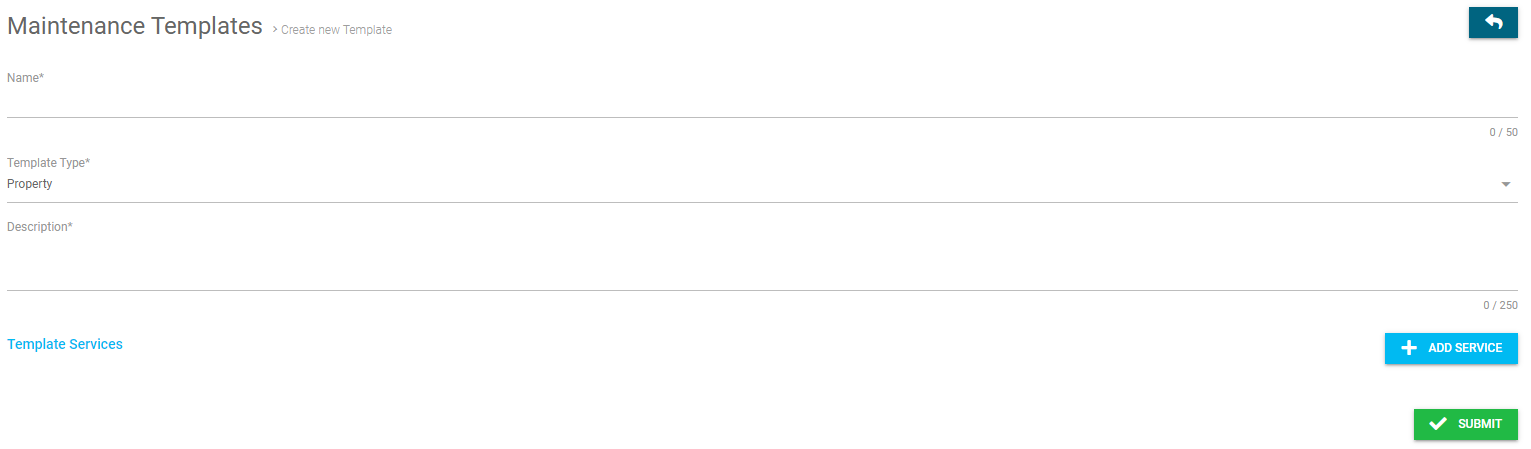
Fields marked with an asterisk (*) are mandatory and must be completed before you can proceed.
Enter the Template Name
In the Name* field, enter the name of the premises type.
Example: Retail Centre
Choose the Template Type
In the Template Type* field, select the appropriate option from the drop-down menu.
Add a Description
In the Description* field, enter a brief description of the template.
Example: Ongoing services
Add Template Services (Optional or as Required)
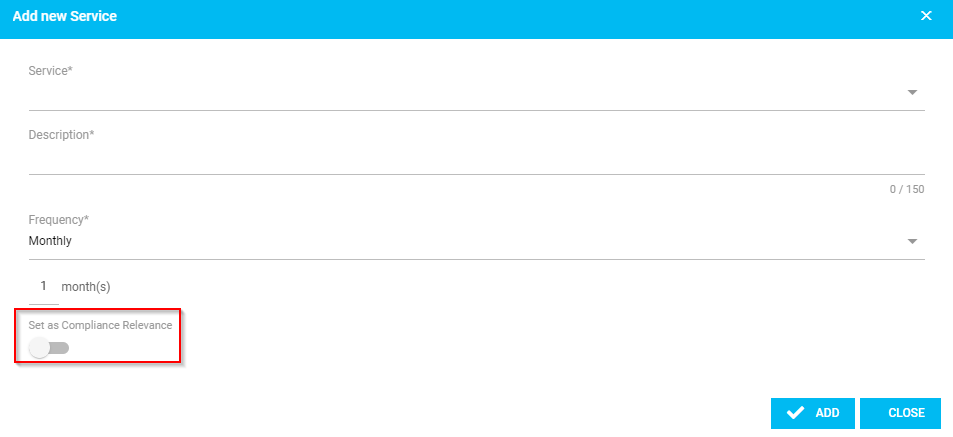
In Template Services, add the services included in the maintenance.
Refer to the Add Services section for instructions if needed.
Submit the Template
Once all required details have been entered, click the Submit button to save the template.
Adding Services
Was this article helpful?
That’s Great!
Thank you for your feedback
Sorry! We couldn't be helpful
Thank you for your feedback
Feedback sent
We appreciate your effort and will try to fix the article