The Services tab allows users to enter in service types and the corresponding account codes for the services. This is something each client will need to set up.
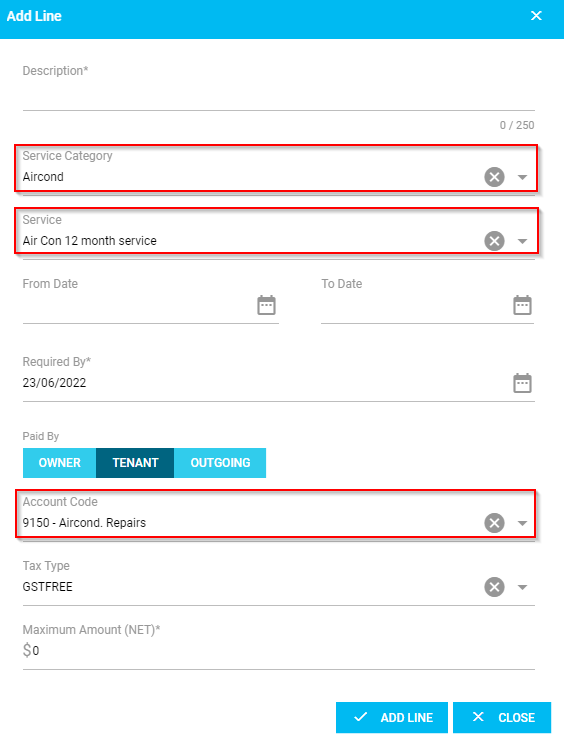
When you create Quotes or Workorders, the details of the selected service is populated under the Add Line section.
NOTE: The Services tab will appear for an 'Administrator' user only
Create New Service

As an 'Administrator' user, under the Services tab, click 'Create New'. This will open up a new window and prompt you to enter the following:
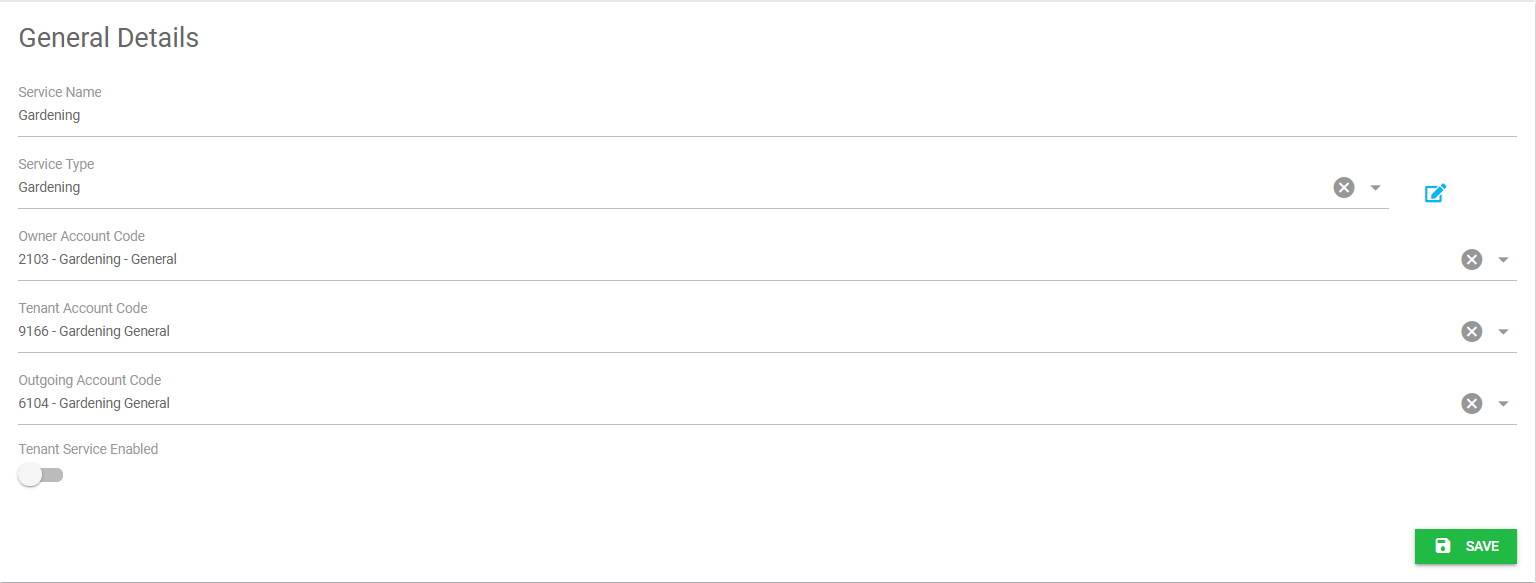
- Service Name - a service name can be entered into this field.
- Service Type - this can be broken down into a service type, if you are creating a service type for the first time you can select the edit pencil to create a new one.
- Owner Account Code - the owner account codes that are setup in Cirrus8 will feed through to CirrusFM Plus.
- Tenant Account Code - the directly recoverable account codes that are setup in Cirrus8 will feed through to CirrusFM Plus.
- Outgoing Account Code - the variable outgoings account codes that are setup in Cirrus8 will feed through to CirrusFM Plus.
- Tenant Service Enable - this will link through to the tenant portals once they are live in the system. Which means the tenant will be able to send though work request for the services that are enabled.
Once you have checked and are happy with the details entered, click 'Save'.
NOTE: if you need a new account code set up, this can be entered by a Trust Accountant user in Cirrus8. Under Configuration > Manage Account Codes.
Viewing & Editing a Service
The 'Services' tab also allows you to view and edit information in regards to a specific service, by selecting the service you wish to view.
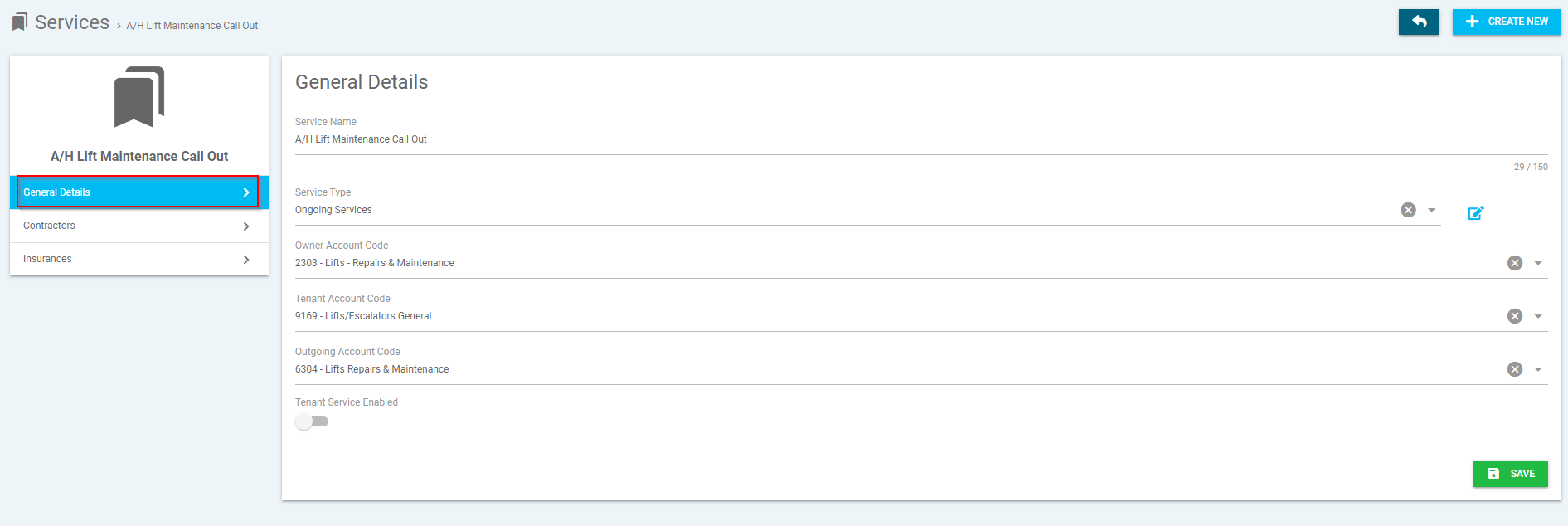
General Details
This section allows you to view and edit the general details of the selected service.
Contractors
This section allows you to action the following:-
- Assign Contractor(s) - Assign contractor to the selected service
- Remove Contractor(s) - Remove assigned contractor from selected service

Insurances
This section allows you to add a 'Service' insurance type created from the drop-down menu.

Was this article helpful?
That’s Great!
Thank you for your feedback
Sorry! We couldn't be helpful
Thank you for your feedback
Feedback sent
We appreciate your effort and will try to fix the article