Creating a Journal Entry
A journal entry can be created from the 'WORKORDER' tab by selecting the 'Journal Entry' button.

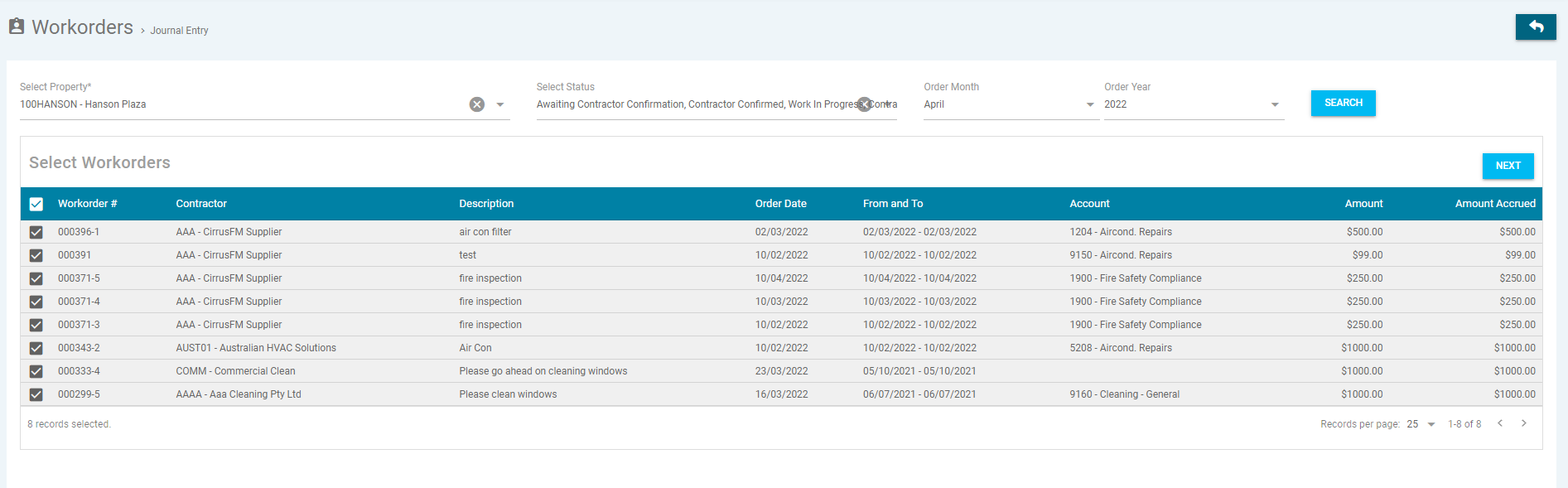
Enter the following the details, then click 'search':-
- * means this is a mandatory field and must be entered to create the project
- Select Property* - Select the property from the drop down menu
- Select Status – Select the status from the drop down menu
- Order Month – Select the month you wish to post a journal to
- Order Year – Select the year you with to post a journal to
Select the work orders you want included from the list, by checking the box next to each item, then click 'Next'.
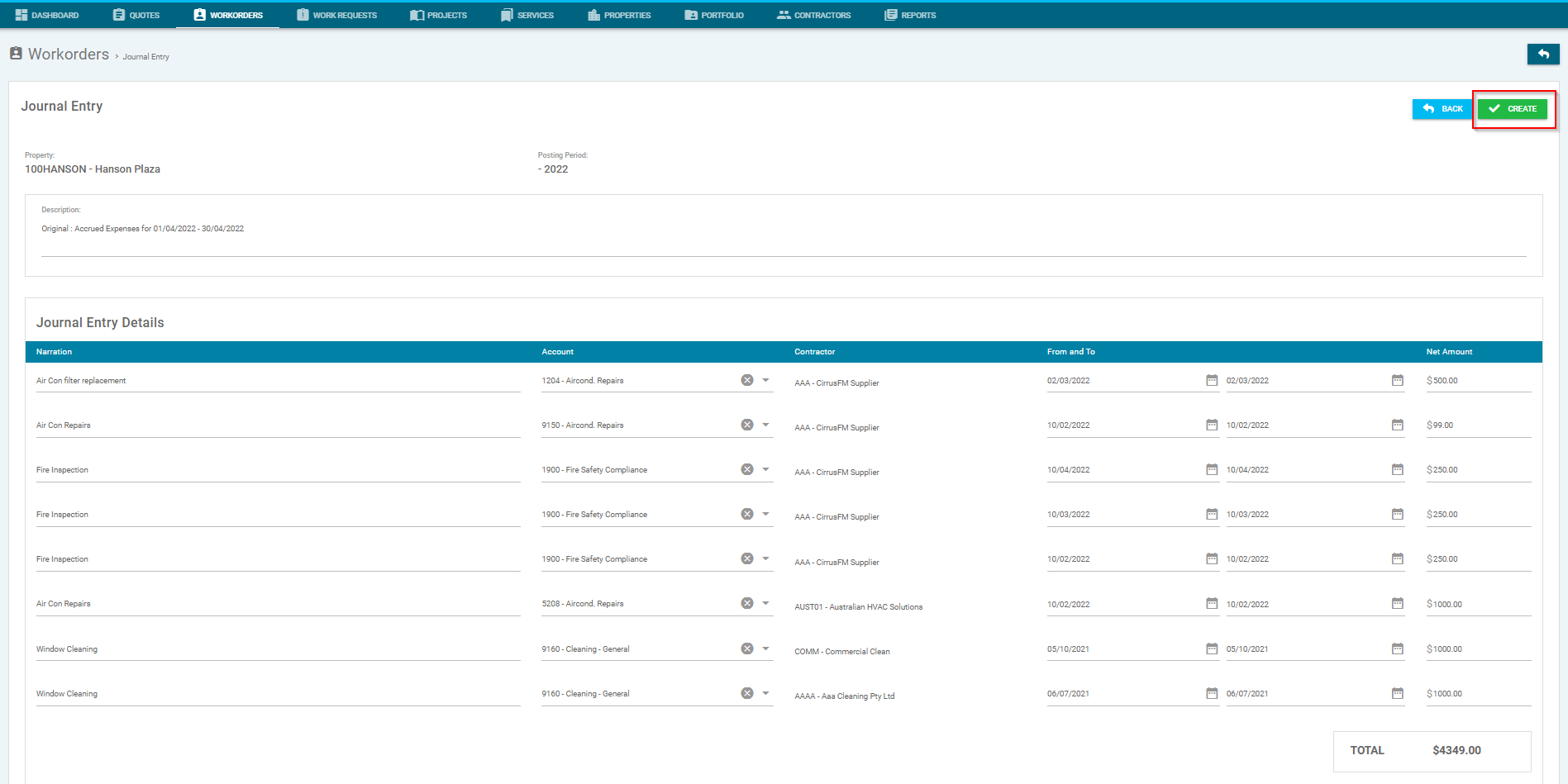
In the selected work order, you will be able to check and amend the following:-
- Journal Entry Description - Update Description of entry
- Journal Entry Details - Update details for the following:-
- Narration - Work Order Description
- Account - Account Code used for Work Order
- From and To - 'Required By' dates on Work Order
- Net Amount - Amount Limit noted on Work Order
Once you have checked and/or amended the details, click 'Create'. Alternatively click 'Back' to go back to the previous page.
Once created, there will be a draft journal awaiting processing by a Trust Accountant user via General Ledger > Journal View:
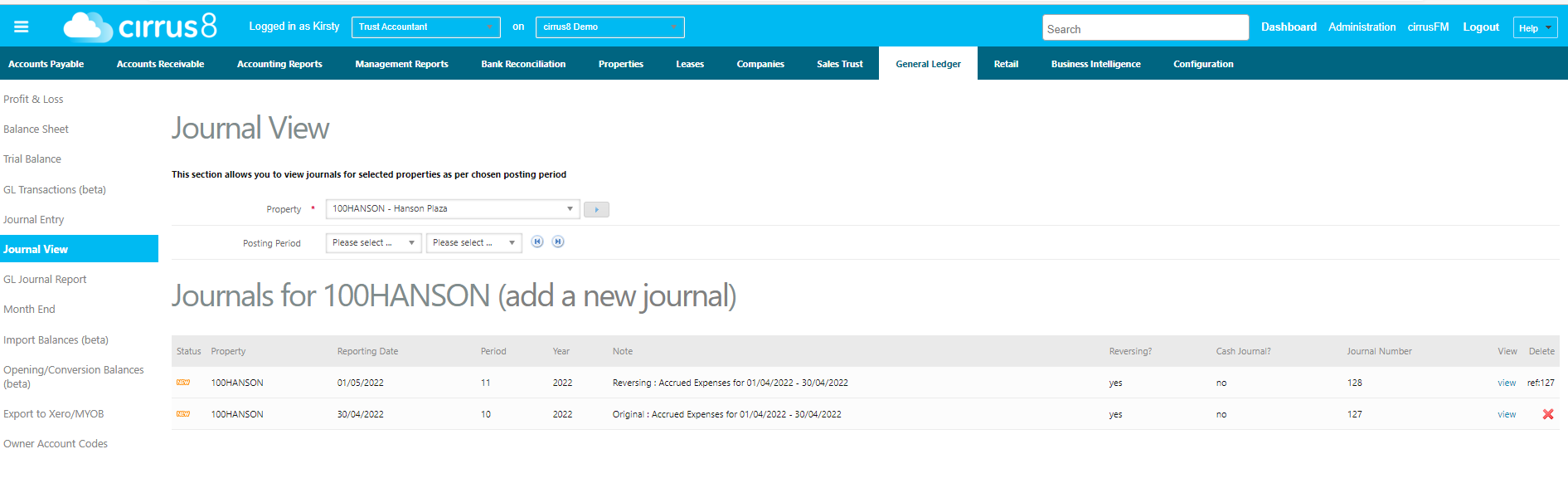
You can click on View and either make any amendments, or click on Commit to process the Journal.
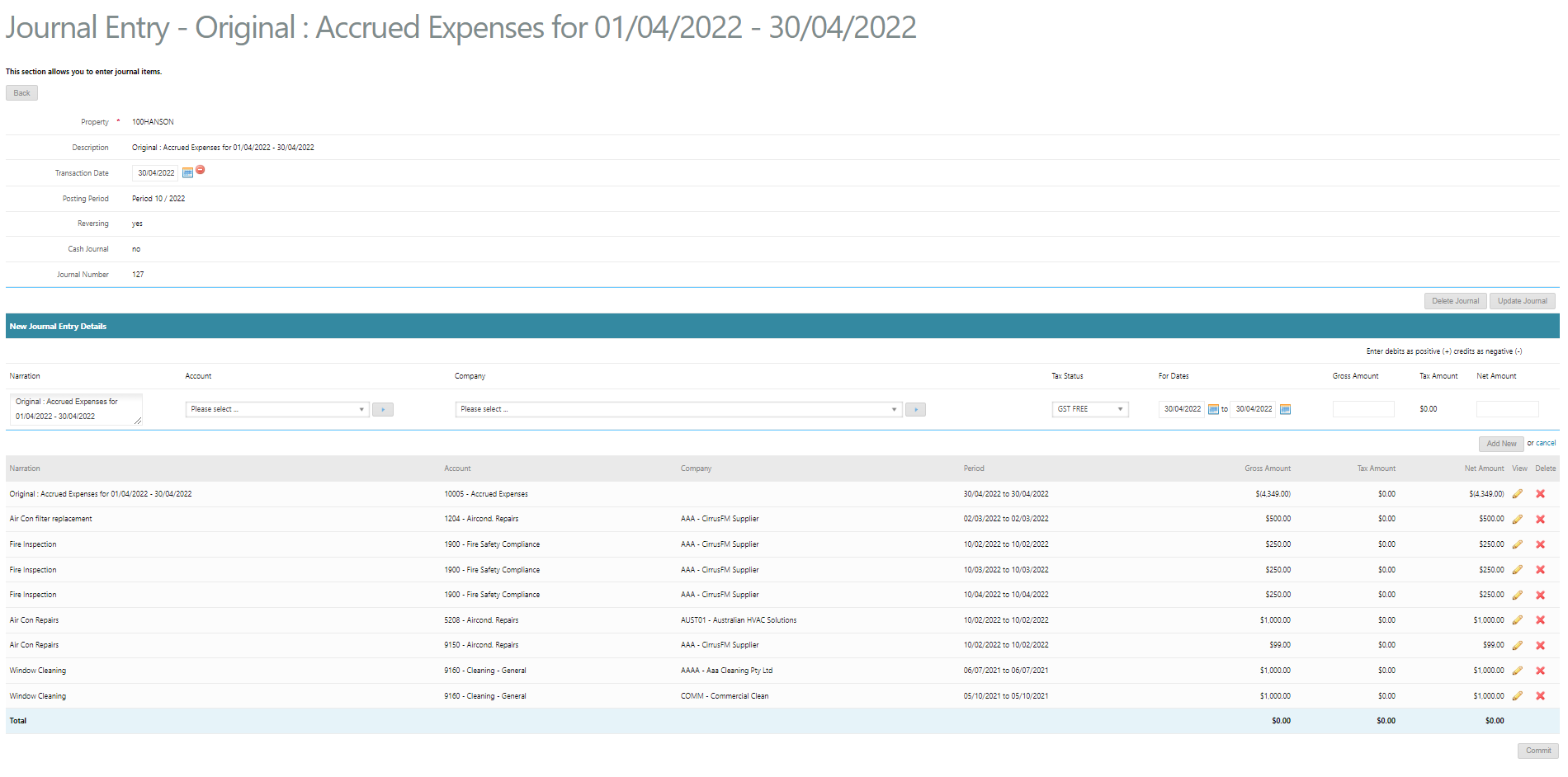
Please note that this journal will automatically reverse on the 1st day of the subsequent period.
Was this article helpful?
That’s Great!
Thank you for your feedback
Sorry! We couldn't be helpful
Thank you for your feedback
Feedback sent
We appreciate your effort and will try to fix the article