This section allows a user to adjust, edit and delete existing invoices or credits against a lease. Additionally, if the invoice or credit does not have an invoice number assigned, this section allows a user to create a new tax invoice with a due date.
This section can be accessed by a Trust Accountant user by going to Accounts Receivable > Invoice & Credit Adjustments
To adjust a tenant's invoice or credit, go to:
- Accounts Receivable > Invoice & Credit Adjustments
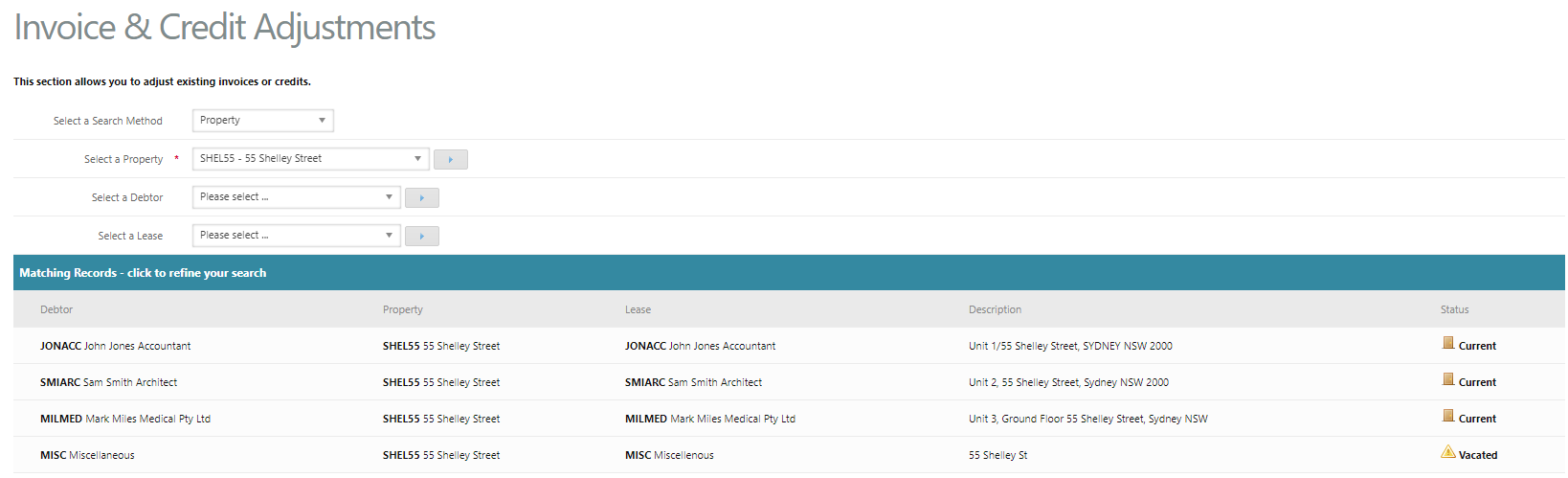
- Select a Search Method e.g. Lease
- Cirrus8 will then display Invoices/Credits for the parameters you have selected
- Locate the correct invoice/credit and click view
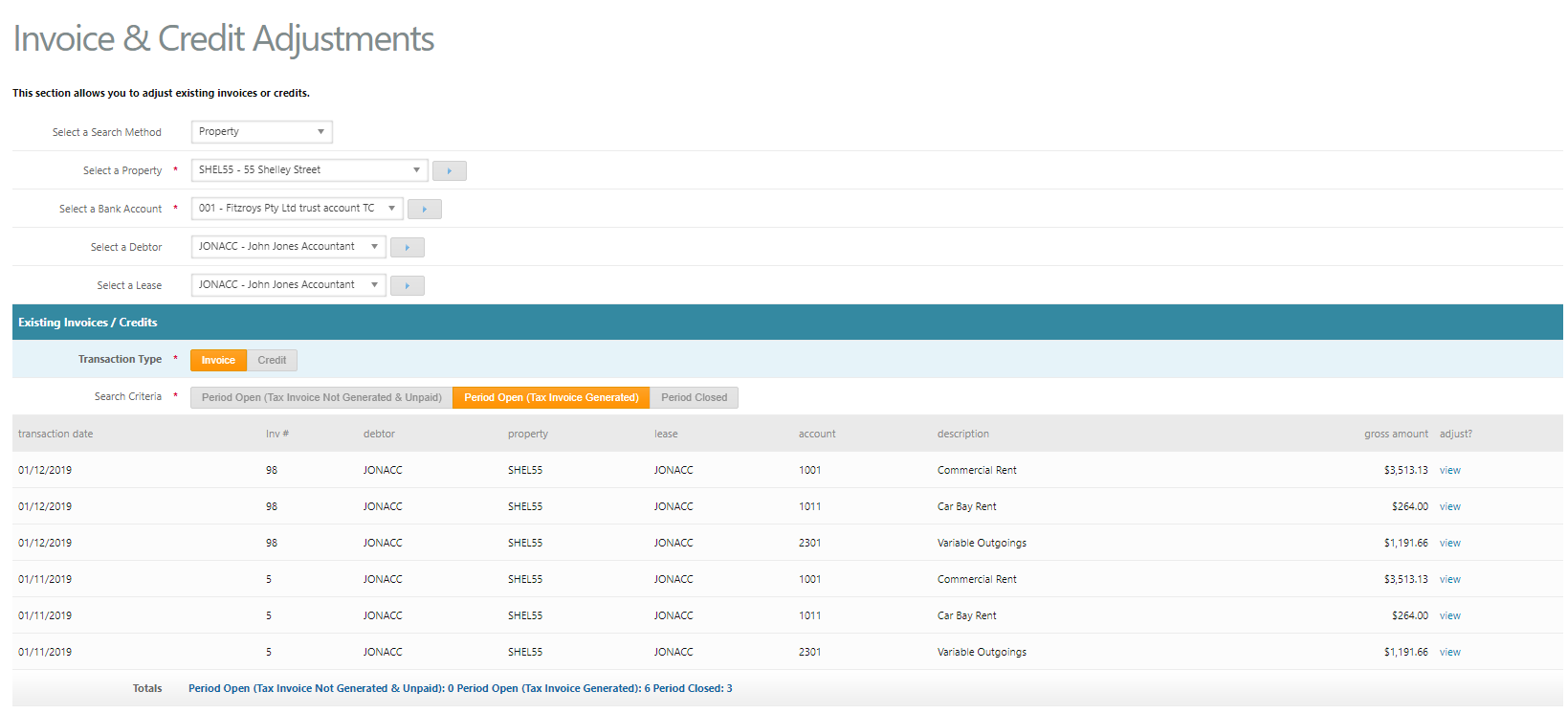
- Period Open (Tax Invoice Not Generated) - ability to upload files, assign an invoice number, view, edit and delete invoices.
- Period Open (Tax Invoice Generated) - ability to upload files, view and edit information excluding amount, should you need to delete the invoice you will need to reset the invoice first.
- Period Closed - ability to upload files, view and edit information excluding amount, should you need to delete the invoice you will need to open relevant period under manage property and then reset the invoice first.
- Make the relevant adjustments against the transaction and then click save.
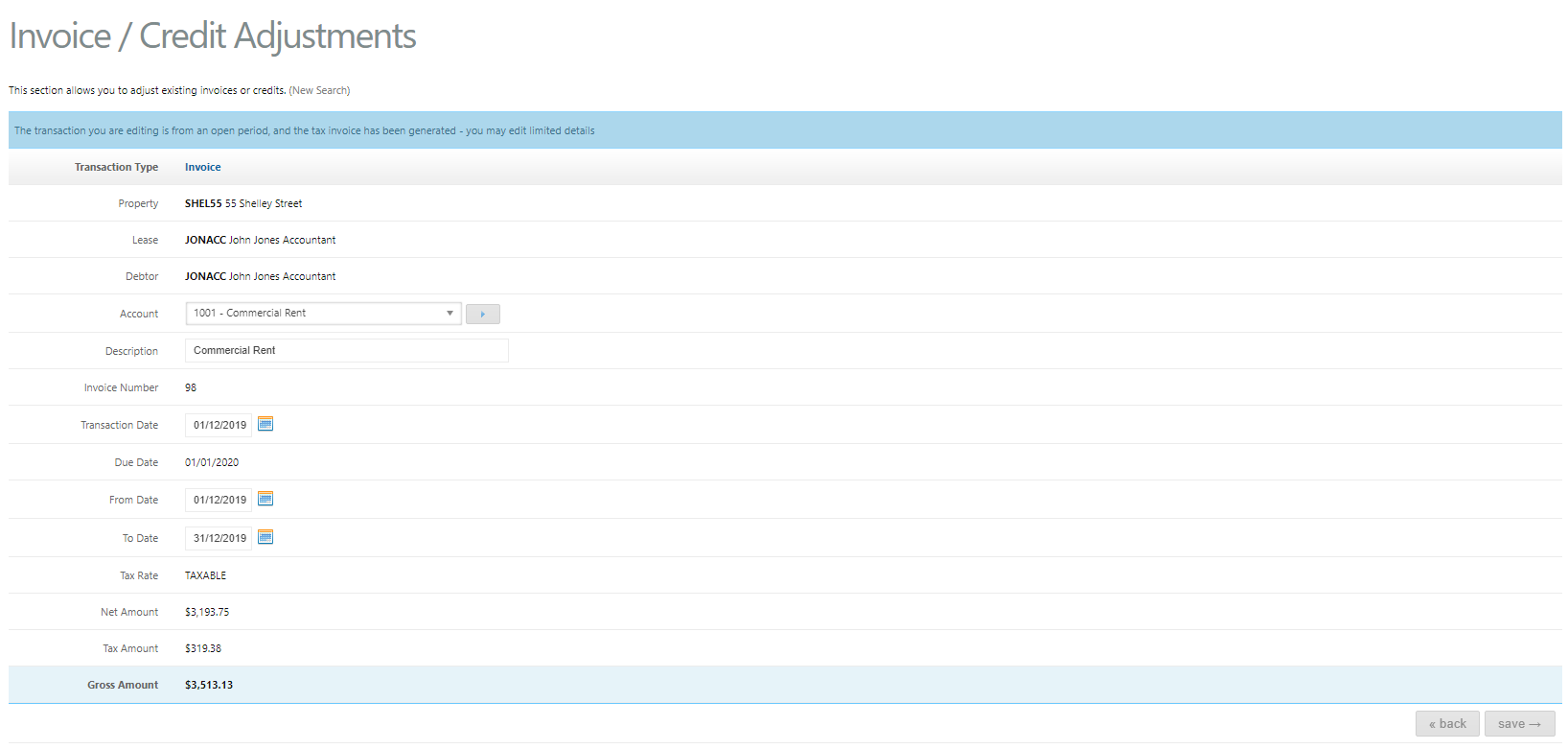
Note - Invoices/Credits cannot be deleted if the invoice has already been paid or previously had receipts allocated to the invoice.
Tip - If the invoice has already been paid by the tenant, try using an Accounts Receivable Transfer Journal instead to re-allocate the income transaction
Was this article helpful?
That’s Great!
Thank you for your feedback
Sorry! We couldn't be helpful
Thank you for your feedback
Feedback sent
We appreciate your effort and will try to fix the article