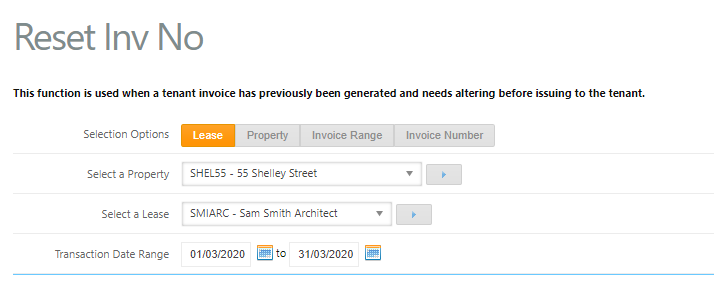
This function is used when a tenant invoice has previously been generated and needs altering before issuing to the tenant. When an invoice number has been reset, the invoice number will be deleted and no longer exist within the system. A new invoice number can then be generated so the invoice can be re-issued to the tenant.
As a Trust Accountant user, this function is located under Accounts Receivable > Reset Invoice Number.
To reset an invoice number, follow the below steps:
- Go to Accounts Receivable > Reset Invoice Number
- Choose a Selection Option to search by either Lease, Property, Invoice Range, Invoice Number
- Select a Property
- Select a Lease
- Enter the Transaction Date Range
- Click Search
- Click view on the relevant invoice

- Select the reset tick box against the relevant invoice, or click all to select all

- Click Reset. A confirmation message will appear once the invoice number has been reset

Note - if the invoice has funds receipted against it, the invoice number cannot be reset. The receipts will need to be cancelled before resetting the invoice number.
If the transaction needs to be deleted or changes are required, go to Accounts Receivable > Invoice & Credit Adjustments (Accounts Receivable) to delete, or make the necessary adjustments and create and assign a new invoice number.
Was this article helpful?
That’s Great!
Thank you for your feedback
Sorry! We couldn't be helpful
Thank you for your feedback
Feedback sent
We appreciate your effort and will try to fix the article