If a tenant has an amount in credit, including unallocated cash, and request a refund.
- Enter tenant payment details change banking details
- In the receipt screen, add the amount you are going to refund as a NEGATIVE figure and allocate this to the unallocated cash/tenant overpayment transaction:
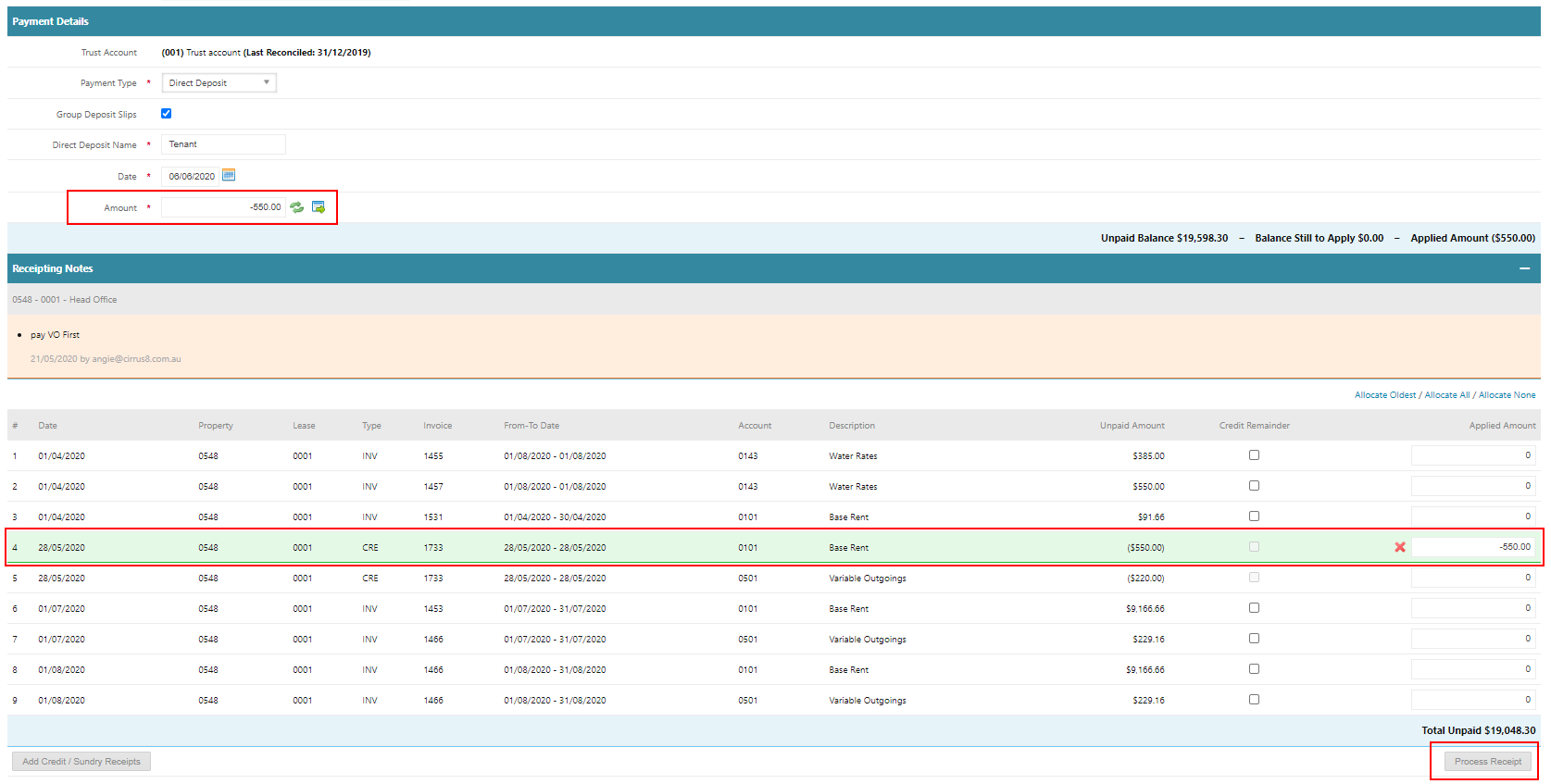
3. When you click Process Receipt, the following will appear. Enter the next payment reference number:
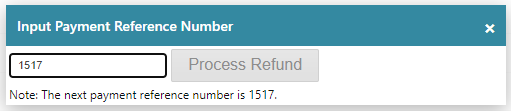
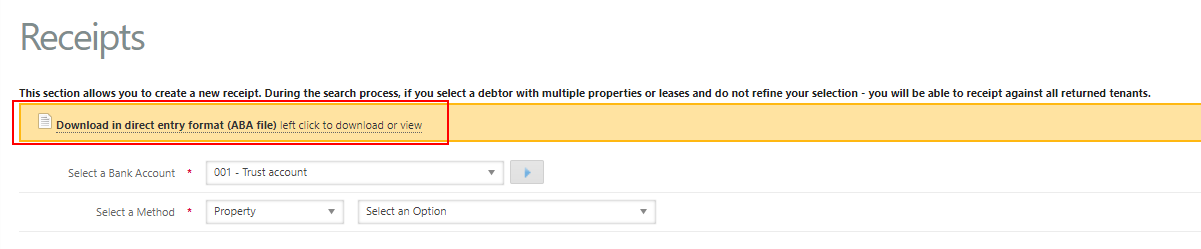
4. Click Process Refund and an ABA file will be created to upload into the bank.
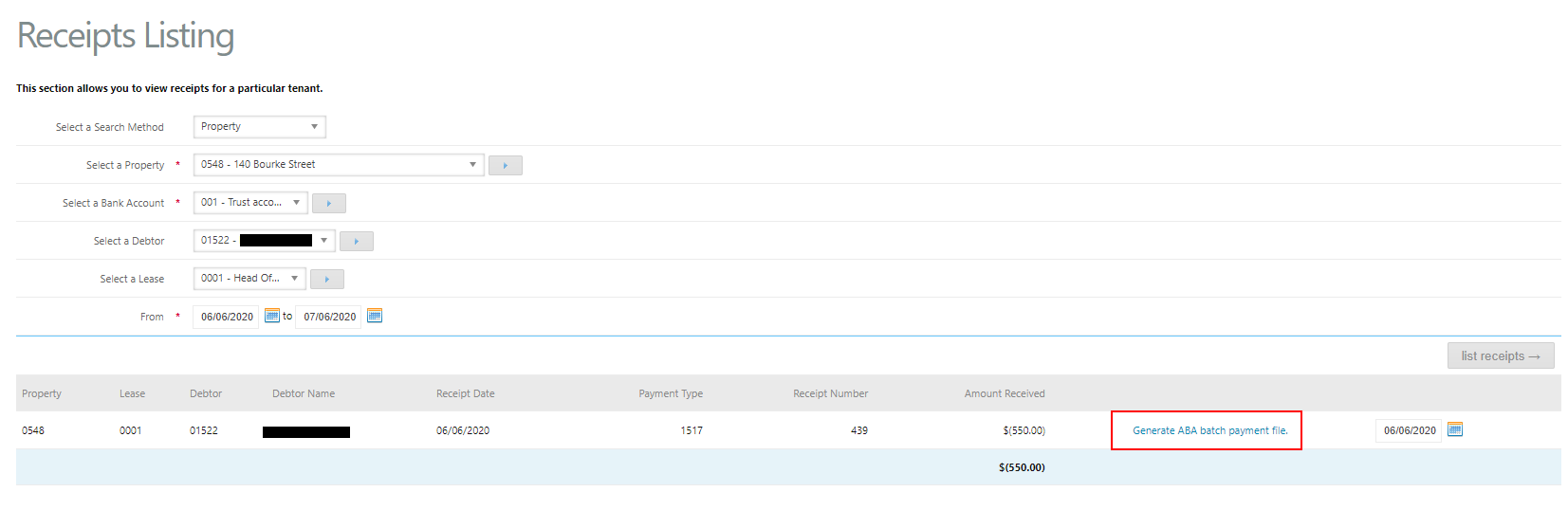
Should you need to regenerate the ABA file for the tenant refund you can go to Accounts Receivable > Receipts Listing.
- Select search method
- Select bank account
- Select date
- Generate ABA batch payment file
Was this article helpful?
That’s Great!
Thank you for your feedback
Sorry! We couldn't be helpful
Thank you for your feedback
Feedback sent
We appreciate your effort and will try to fix the article